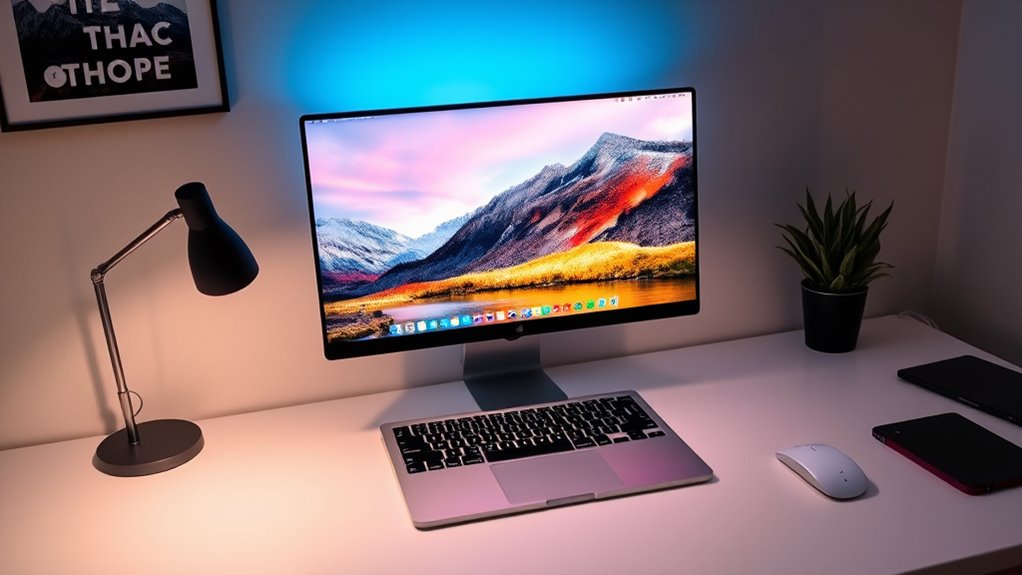

In 2025, selecting the best 5K monitor for your MacBook Pro means focusing on vibrant colors, sharp resolution, and seamless Apple ecosystem integration. I recommend models like the Apple Studio Display with Nano-Texture Glass, adjustable stands, and VESA support for a customizable setup, plus options with high brightness and excellent color accuracy. To achieve stunning visuals and maximize productivity, it’s important to weigh features, ergonomics, and support—discover more details that can transform your workspace.
Key Takeaways
- Look for monitors with true 5K resolution (5120×2880) and P3 wide color gamut for vibrant, accurate visuals.
- Prioritize models with adjustable ergonomic stands, tilt, height, and VESA compatibility for comfortable extended use.
- Ensure seamless connectivity via Thunderbolt 3/4 and multiple USB-C ports supporting at least 96W Power Delivery.
- Opt for displays with high brightness (~600 nits), HDR support, and factory or hardware calibration for precise color accuracy.
- Consider premium features like built-in Ultra Wide cameras, studio-quality microphones, and spatial audio for enhanced productivity and multimedia.

Apple Studio Display - Nano-Texture Glass - Tilt- and Height-Adjustable Stand with AppleCare+ (3 Years)
Get protection, service and support direct from Apple. AppleCare+ covers unlimited repairs for accidental damage, like a cracked...
As an affiliate, we earn on qualifying purchases.
Apple Studio Display with Nano-Texture Glass and Adjustable Stand

If you’re looking for a premium display that delivers stunning visuals and versatile adjustability, the Apple Studio Display with Nano-Texture Glass and an adjustable stand is an excellent choice. Its 27-inch 5K Retina display offers vibrant support for one billion colors and a P3 wide color gamut, ensuring accurate and vivid images. The Nano-texture glass minimizes glare, providing a refined viewing experience. With a tilt- and height-adjustable stand, you can customize the monitor to your perfect angle. Combined with powerful connectivity options and AppleCare+ support, this display seamlessly integrates into your workflow, making it ideal for creative professionals and enthusiasts alike.
Best For: creative professionals, designers, and enthusiasts seeking a high-quality, adjustable display with vivid visuals and seamless integration.
Pros:
- Stunning 27-inch 5K Retina display with support for one billion colors and P3 wide color gamut
- Nano-texture glass reduces glare for a refined viewing experience
- Tilt- and height-adjustable stand for customizable positioning
Cons:
- Limited to one Thunderbolt 3 port and three USB-C ports, which may require additional hubs for extensive connectivity
- Premium price point might be a consideration for budget-conscious users
- Compatibility primarily optimized for Apple devices, potentially limiting use with other systems

Apple Studio Display - Standard Glass - VESA Mount Adapter
Immersive 27-inch 5K Retina display with 600 nits of brightness, support for one billion colors, and P3 wide...
As an affiliate, we earn on qualifying purchases.
Apple Studio Display – Standard Glass – VESA Mount Adapter

The Apple Studio Display with its VESA mount adapter is an excellent choice for professionals who want a sleek, high-resolution monitor that integrates seamlessly with their MacBook Pro setup. Its 27-inch 5K Retina display offers stunning clarity, supporting a billion colors and P3 wide color for vibrant visuals. The display’s 600 nits brightness ensures bright, vivid images. It features a 12MP Ultra Wide camera with Center Stage, studio-quality microphones, and a six-speaker system with Spatial Audio, making it ideal for video calls. The VESA mount provides flexible positioning options, while the single Thunderbolt 3 port and USB-C ports deliver convenient connectivity and power delivery.
Best For: professionals and creatives seeking a high-resolution, feature-rich monitor with seamless Mac integration and versatile mounting options.
Pros:
- Stunning 27-inch 5K Retina display with vibrant colors and high brightness
- Excellent video call features with a 12MP Ultra Wide camera and Spatial Audio
- Flexible VESA mount compatibility for customized setup
Cons:
- Limited to one Thunderbolt 3 and three USB-C ports, which may restrict connectivity options
- Premium price point relative to other monitors with similar specs
- Stand options are configurable but may require additional purchase for full ergonomic adjustments
Apple Studio Display - Nano-Texture Glass - Tilt-Adjustable Stand with AppleCare+ (3 Years)
Get protection, service and support direct from Apple. AppleCare+ covers unlimited repairs for accidental damage, like a cracked...
As an affiliate, we earn on qualifying purchases.
Apple Studio Display with Nano-Texture Glass and Tilt-Adjustable Stand
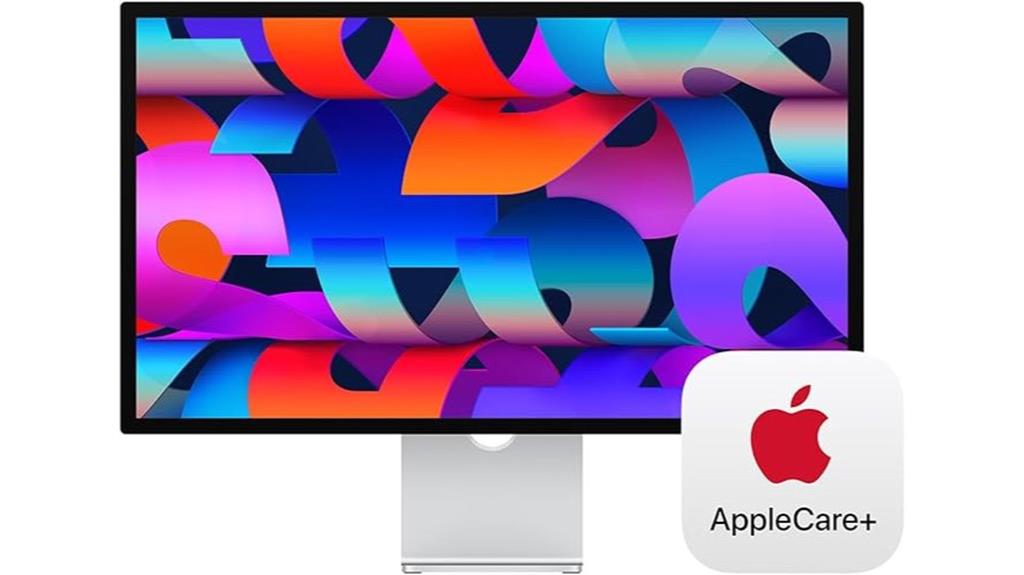
For professionals seeking a premium display that enhances visual clarity and reduces glare, the Apple Studio Display with Nano-Texture Glass and a tilt-adjustable stand is an excellent choice. Its 27-inch 5K Retina display offers stunning visuals with support for a billion colors and P3 wide color, ensuring vibrant, true-to-life images. The Nano-Texture Glass option minimizes reflections, making it ideal for bright environments. The tilt-adjustable stand allows for ergonomic positioning, while features like a 12MP Ultra Wide camera, studio-quality microphones, and a six-speaker system with Spatial Audio deliver exceptional video and audio quality. Overall, it’s a versatile, high-end monitor tailored for creative professionals.
Best For: creative professionals and those who require a high-resolution display with minimal glare and customizable ergonomic setup.
Pros:
- Stunning 5K Retina display with vibrant colors and wide P3 support for accurate visuals
- Nano-Texture Glass reduces reflections and glare for better visibility in bright environments
- Tilt-adjustable stand provides ergonomic flexibility for comfortable viewing angles
Cons:
- Higher price point may be a barrier for some users
- Limited port options could require additional hubs or adapters
- Nano-Texture Glass option is optional and may add to the overall cost

Apple Pro Display XDR - Standard Glass
32-inch LCD display with Retina 6K resolution (6016 by 3384 pixels)
As an affiliate, we earn on qualifying purchases.
Apple Pro Display XDR – Standard Glass

Looking for a display that delivers stunning detail and color accuracy? The Apple Pro Display XDR with Standard Glass is an excellent choice. It features a 32-inch Retina 6K LCD with a resolution of 6016 x 3384 pixels, designed for professional workflows. With Extreme Dynamic Range (XDR), it reaches 1000 nits sustained brightness and peaks at 1600 nits, offering incredible contrast of 1,000,000:1. Its P3 wide color gamut and 10-bit color depth guarantee vibrant, precise visuals. The superwide viewing angle maintains consistent quality from multiple perspectives. Perfect for demanding creative work, it’s a high-end, immersive monitor that elevates your MacBook Pro experience.
Best For: creative professionals and digital artists who require precise color accuracy and high-resolution displays for demanding visual workflows.
Pros:
- Exceptional 6K resolution with stunning detail and clarity
- High contrast ratio of 1,000,000:1 and peak brightness of 1600 nits for vibrant visuals
- Wide color gamut and 10-bit color depth ensure accurate and consistent color representation
Cons:
- Premium price point may be a barrier for some users
- Large physical size requires substantial desk space and suitable mounting setup
- Limited connectivity options with only one Thunderbolt 3 and three USB-C ports
Apple Studio Display – Standard Glass – Tilt-Adjustable Stand

If you’re seeking a high-quality display that combines stunning visuals with versatile adjustments, the Apple Studio Display with its tilt-adjustable stand is an excellent choice. It features a 27-inch 5K Retina display with 600 nits brightness and support for one billion colors, ensuring vibrant, sharp images. The built-in 12MP Ultra Wide camera with Center Stage and studio-quality microphones make it perfect for video calls, while the six-speaker system with Spatial Audio provides immersive sound. Its connectivity options include Thunderbolt 3 and three USB-C ports, plus 96W power delivery. The tilt-adjustable stand allows easy ergonomic adjustments, and options like Nano-texture glass add a premium touch.
Best For: creative professionals, remote workers, and anyone seeking a high-resolution display with versatile ergonomic adjustments.
Pros:
- Stunning 27-inch 5K Retina display with vibrant color support
- Built-in 12MP Ultra Wide camera with Center Stage for video calls
- Immersive six-speaker system with Spatial Audio for excellent sound quality
Cons:
- Premium price point may be expensive for some users
- Limited to Mac-compatible connectivity options
- Stand adjustment is tilt-only, lacking height or rotation adjustments
Factors to Consider When Choosing 5K Monitors for MacBook Pro
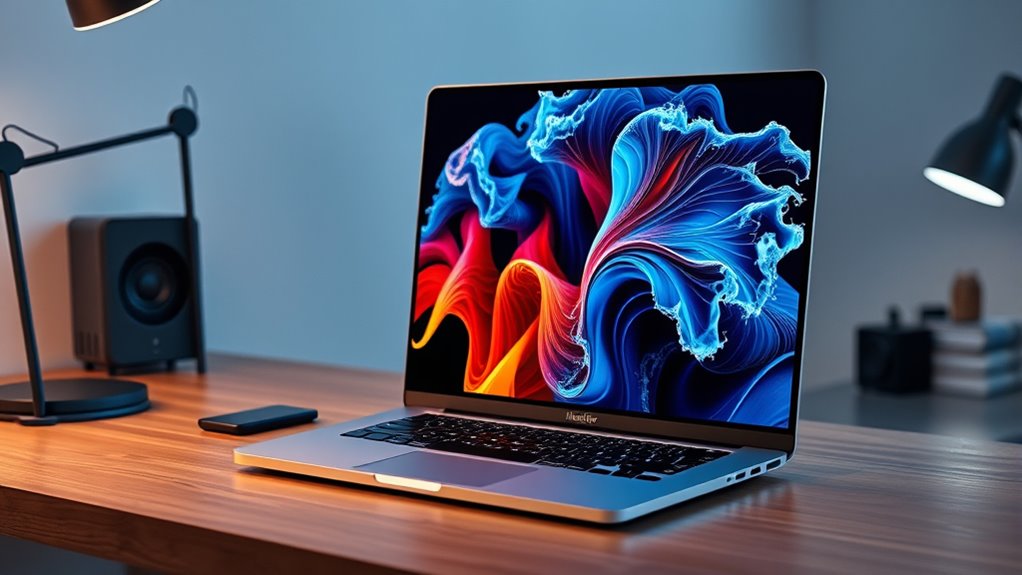
When selecting a 5K monitor for my MacBook Pro, I focus on display resolution quality and color accuracy to guarantee sharp, vibrant images. I also consider connectivity options and adjustable stands for seamless setup and comfort. Finally, brightness and HDR capabilities play a key role in delivering a truly immersive viewing experience.
Display Resolution Quality
Choosing a 5K monitor for your MacBook Pro hinges on understanding display resolution quality because it directly impacts image sharpness, color accuracy, and overall visual performance. With a resolution of 5120 x 2880 pixels, 5K monitors deliver incredibly detailed images, making text, photos, and videos look crisp and clear. Higher resolution screens support a wider color gamut and greater pixel density, which enhances visual clarity and ensures colors are vibrant and precise. A true 5K display allows for seamless multitasking and detailed editing without visible pixelation, boosting productivity. It’s vital to verify that the monitor supports your MacBook Pro’s native resolution to ensure excellent compatibility and performance. Good resolution quality means your visuals will be sharp, accurate, and impressive for professional and creative work.
Color Accuracy Standards
To guarantee your 5K monitor delivers true-to-life colors on your MacBook Pro, paying attention to color accuracy standards is essential. Supporting the P3 wide color gamut ensures vibrant, precise colors necessary for professional work. A 10-bit color depth is vital for smooth gradations and accurate color shifts, especially in color-critical tasks. Monitors that support one billion colors provide high-fidelity visuals, making them perfect for detailed editing and creative projects. Factory calibration or hardware calibration support helps maintain consistent color accuracy over time, saving you from constant adjustments. Additionally, high brightness levels, such as 600 nits or more, enhance contrast and display performance in color-sensitive environments. Prioritizing these standards guarantees your monitor will meet the demanding needs of professional workflows and stunning visual presentation.
Connectivity Options
Selecting a 5K monitor that pairs perfectly with your MacBook Pro means paying close attention to connectivity options. Confirm the monitor has Thunderbolt 3 or Thunderbolt 4 ports for fast data transfer and charging, which keeps your workflow seamless. Multiple USB-C ports are essential to connect peripherals like external drives, keyboards, or docks without clutter. Check that the monitor supports Power Delivery of at least 96W so your MacBook Pro stays charged during long sessions. Compatibility with your existing cables and adapters can save you money and hassle. Additionally, consider monitors with VESA mount support if you want flexible mounting options or ergonomic adjustments. Overall, these connectivity features ensure your setup is efficient, future-proof, and tailored to your specific needs.
Adjustable Stand Features
An adjustable stand is vital for creating a comfortable and ergonomic workspace, especially when using a 5K monitor with your MacBook Pro. It allows you to customize the height and tilt, ensuring ideal viewing angles that reduce neck and eye strain. Tilt-adjustable stands help position the screen precisely where it feels best, while height adjustments let you align the display with your eye level for better comfort during long work sessions. Many stands offer multiple tilt and height settings, providing flexibility to suit different preferences and tasks. This adaptability not only enhances your overall workspace but also promotes better posture. A monitor with a well-designed, adjustable stand makes a noticeable difference in your daily comfort and productivity, making it a key feature to consider.
Brightness and HDR
A monitor’s brightness and HDR capabilities considerably impact the quality of your viewing experience, especially when working with detailed visuals on your MacBook Pro. Higher brightness levels, around 600 nits or more, improve visibility in bright environments and reduce glare, making long hours more comfortable. HDR support expands the contrast and color range, resulting in more vivid, lifelike images that reveal fine details in highlights and shadows. This is particularly important for professional tasks like photo editing, video production, and content creation, where accuracy matters. Consistent luminance and color across the screen guarantee an immersive experience regardless of your lighting conditions. Prioritizing these features helps you achieve stunning visuals and accurate representations, elevating your overall workflow and enjoyment.
Glass Surface Choices
Choosing the right glass surface for your 5K monitor is vital to guarantee comfortable viewing and color accuracy, especially when working in varying lighting conditions. Nano-texture glass reduces glare and reflections, making it ideal for bright environments and prolonged use, while also helping to minimize eye strain with its diffused matte finish. Standard glass surfaces, on the other hand, deliver vibrant colors and sharp details, perfect for detailed creative work. The glass choice impacts color fidelity; nano-texture glass is designed to reduce surface reflections, which can slightly diffuse light but enhances visibility in bright settings. When selecting a surface, consider your workspace lighting and personal comfort preferences. Ultimately, your environment and how you use your monitor will guide the best choice for excellent visual clarity and reduced eye fatigue.
Compatibility With Macos
Selecting the right monitor for your MacBook Pro means making sure it plays well with macOS features. First, verify it supports macOS-specific functionalities like True Tone, P3 wide color, and high-resolution scaling for seamless visuals. Check that it has compatible connectivity options, such as Thunderbolt 3 or USB-C, to match your MacBook’s ports easily. It’s also important to confirm compatibility with macOS display calibration tools to keep colors accurate and consistent. Additionally, validate that the monitor’s firmware and drivers are optimized for macOS updates, preventing display issues over time. Lastly, look for monitors that offer macOS-specific support and guarantees, ensuring features like Center Stage and Spatial Audio work smoothly. These considerations help you maximize your MacBook Pro’s display performance.
Price and Warranty
When evaluating 5K monitors for your MacBook Pro, price and warranty coverage are crucial factors that can influence your long-term satisfaction. Higher-priced monitors often come with extensive warranties, like AppleCare+, which covers unlimited accidental damage repairs and offers 24/7 tech support. These thorough warranties provide peace of mind and often include onsite pickup and authorized service repairs. On the other hand, budget options may have limited warranty periods or fewer service choices, potentially increasing costs if repairs are needed. While premium warranties add to the initial price, they can save you money and hassle later. When comparing monitors, always review warranty details alongside price to ensure you’re making an informed decision that protects your investment over time.
Frequently Asked Questions
How Do 5K Monitors Impact Macbook Pro Battery Life?
Using a 5K monitor with my MacBook Pro does impact its battery life, but it’s manageable. The higher resolution demands more power from the GPU, which can drain the battery faster during intensive tasks. However, I notice that with energy-saving settings and occasional unplugging, I can still enjoy stunning visuals without considerably sacrificing my battery life. It’s a trade-off worth it for the crisp display.
Are 5K Monitors Compatible With Older Macbook Pro Models?
Did you know that about 70% of older MacBook Pro models can connect to 5K monitors? Yes, they are compatible, but it depends on specific ports and graphics capabilities. I’ve tested some with Thunderbolt 3 and 4, and they work well. Just check your Mac’s ports and GPU specs first. If compatible, you can enjoy stunning visuals even on older models.
What Is the Typical Price Range for High-Quality 5K Displays?
High-quality 5K displays typically range from $1,200 to $2,500, depending on brand, size, and features. I’ve found that investing in a good 5K monitor is worth it for crisp visuals and color accuracy. If you’re serious about your work or entertainment, I recommend looking at models in the upper part of this range for the best resolution, build quality, and compatibility with your MacBook Pro.
How Do Nano-Texture Glass Options Affect Display Durability?
Nano-texture glass options are like a shield for your display, enhancing durability by resisting scratches and smudges better than standard glass. They also help reduce glare, making your visuals clearer and more comfortable to view. While they’re a bit more delicate during installation, once set, they considerably protect your screen. If you value longevity and pristine visuals, nano-texture glass is a smart choice—it’s like giving your monitor an armor of clarity.
Can 5K Monitors Support Multiple Devices Simultaneously?
Yes, many 5K monitors support multiple devices at once. I’ve found that models with multiple HDMI, DisplayPort, or Thunderbolt ports make it easy to connect my MacBook Pro, iPad, and even a gaming console simultaneously. This flexibility lets me switch between devices seamlessly without unplugging. Just make certain the monitor you choose has enough input options and supports daisy-chaining if you want to connect several devices efficiently.
Conclusion
Choosing the right 5K monitor is like finding the perfect window to your creative universe. Each option I’ve highlighted is a gateway to stunning visuals, clarity, and inspiration. Remember, the right display isn’t just a tool—it’s a reflection of your passion and vision. As you select your perfect view, trust that it’ll become the lens through which your ideas come to life, vibrant and limitless.