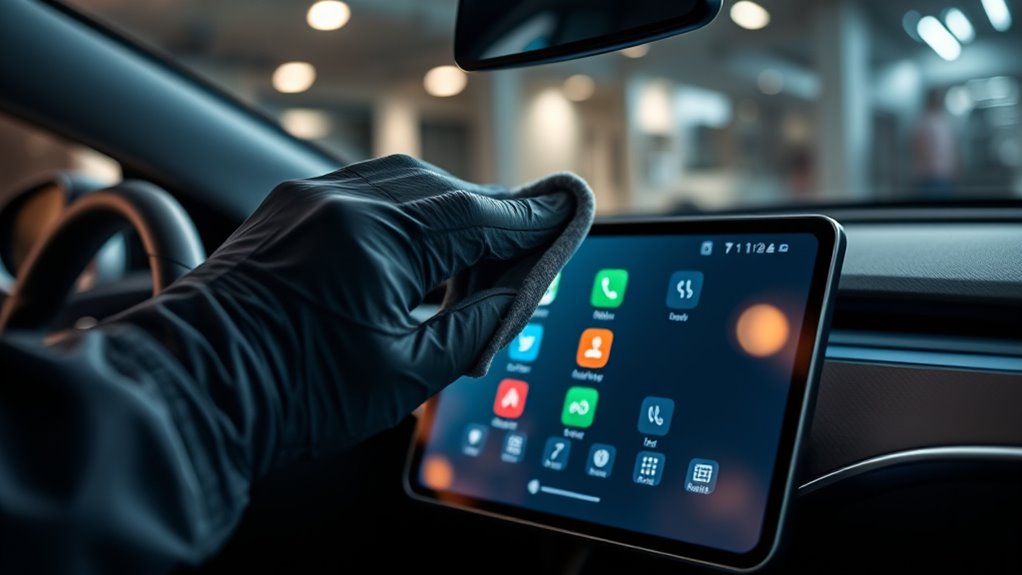

To safely clean your EV’s touchscreen, turn off the vehicle and use a soft, lint-free microfiber cloth lightly dampened with a screen-specific cleaner—never spray liquids directly onto the screen. Avoid household cleaners like ammonia or alcohol, which can damage coatings. Use gentle wiping motions and prevent excess liquid from seeping into edges or ports. Installing a screen protector can also reduce cleaning frequency and protect against scratches—keep going for more tips to maintain your screen’s longevity.
Key Takeaways
- Turn off the vehicle and disconnect the battery before cleaning to prevent electrical issues.
- Use a soft, lint-free microfiber cloth dampened with a screen-specific, alcohol-free cleaner.
- Never spray liquids directly onto the touchscreen; spray onto the cloth instead.
- Avoid household cleaners like ammonia or alcohol-based products that can damage coatings.
- Install a screen protector to reduce cleaning frequency and safeguard against scratches and impacts.

Your EV’s touchscreen is a vital control interface that needs regular cleaning to guarantee clear visibility and proper functionality. Over time, fingerprints, dust, and smudges can obscure the display, making it harder to operate your vehicle safely. Using the right cleaning methods is essential to keep the screen pristine without causing damage. One effective way to protect your screen is by installing a screen protector. These thin films act as a barrier against scratches, smudges, and minor impacts, reducing the need for frequent deep cleaning and preserving the original display quality. When it’s time to clean, always opt for gentle cleaning solutions specifically designed for electronic screens. Avoid household cleaners like ammonia or alcohol-based products, which can strip away the screen’s coating and cause permanent damage.
To clean your touchscreen properly, start by turning off your vehicle and disconnecting the battery if necessary. Use a soft, lint-free microfiber cloth—this material is gentle enough to avoid scratching the surface. If the screen has stubborn smudges or dirt, lightly dampen the cloth with a cleaning solution formulated for electronics. Never spray liquids directly onto the screen; instead, spray the cleaner onto the cloth and then gently wipe the surface. This method prevents excess liquid from seeping into the edges or ports, which could cause internal damage. When choosing a cleaning solution, look for products that are alcohol-free and designed for screens, as they are formulated to dissolve oils and dirt without harming the display’s protective coating. Regularly cleaning and maintenance can extend the lifespan of your touchscreen and ensure safe operation.
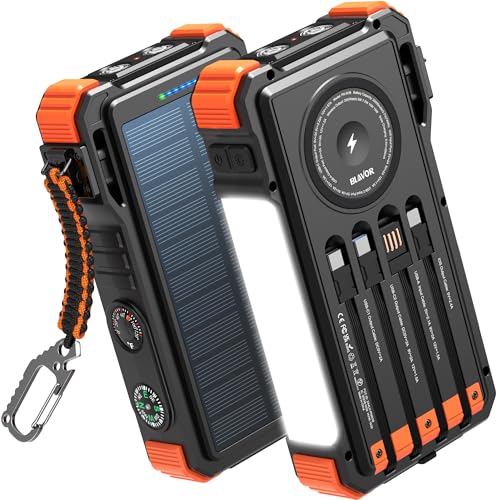
BLAVOR Solar Power Bank 20000mAh Built-in Cables, Wireless Charger for Phones & Apple Watch, 20W Fast Charging Battery Pack with USB C, Flashlight, Solar Charger for iPhone, iPad, iWatch, Samsung
- Simultaneously Charge Multiple Devices: Charges up to 6 devices at once
- Built-in Cables and Wireless Charging: Includes 4 cables and wireless charging area
- High Capacity and Fast Charging: 20000mAh capacity with 20W USB-C fast charge
As an affiliate, we earn on qualifying purchases.
Frequently Asked Questions
Can I Use Alcohol-Based Wipes on My EV Touchscreen?
You shouldn’t use alcohol-based wipes on your EV touchscreen because alcohol safety is a concern, and it could cause screen damage. Alcohol can strip away protective coatings, leading to scratches or discoloration. Instead, opt for a soft, slightly damp microfiber cloth with water or a screen-safe cleaner. This gentle approach keeps your infotainment screen clean without risking damage or compromising its display quality.
How Often Should I Clean My Ev’s Infotainment Screen?
Think of your EV’s screen as a mirror to your journey—keep it clear and bright. You should clean your infotainment screen once a week or whenever you notice persistent smudges. Regular cleaning prevents dirt buildup and keeps the display vibrant. Use gentle wipes, and avoid harsh cleaners. By maintaining a consistent cleaning frequency, you guarantee your screen stays pristine, making every drive as smooth and enjoyable as your destination.
Is It Safe to Use a Microfiber Cloth Dry or Damp?
It’s safe to use a microfiber cloth either dry or damp when cleaning your EV’s touchscreen. A dry cloth gently lifts dust and debris, preventing scratches, while a damp cloth, slightly moistened with water, effectively removes smudges and fingerprints. Always avoid harsh chemicals or soaking the cloth excessively. Gently wipe the screen with your microfiber cloth, and you’ll avoid damage while keeping your infotainment screen crystal clear.
What Cleaning Products Are Specifically Recommended for EV Screens?
Your EV’s screen deserves the best, and choosing the right cleaning products can feel as essential as saving the planet! Stick to gentle, alcohol-free screen cleaning solutions or a mixture of distilled water and a tiny drop of dish soap. Always prioritize product safety, avoiding harsh chemicals that could damage your infotainment screen. Use a microfiber cloth, and never spray directly onto the screen—your display will thank you!
Can Cleaning Damage the Touchscreen’s Protective Coating?
Cleaning your EV’s touchscreen can cause cleaning damage if you’re not careful. Using harsh or abrasive products can strip away the protective coating, leaving the screen vulnerable to scratches and damage. To prevent this, always use gentle, recommended cleaners and soft cloths. Avoid scrubbing or applying excessive pressure, and never use ammonia-based cleaners, as they can compromise the protective coating and lead to long-term damage.
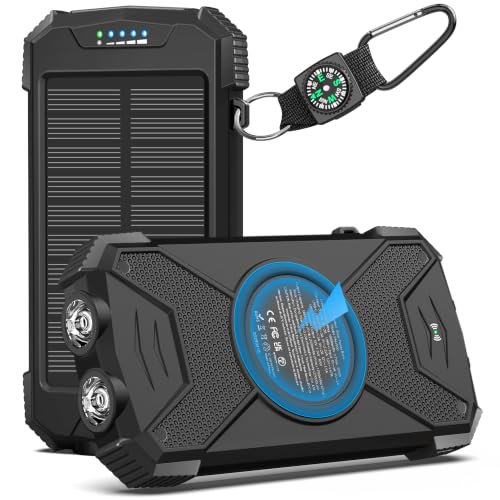
BLAVOR Solar Power Bank 10,000mAh, Portable Wireless Charger, 20W Fast Charging External Battery Pack with USB C for Cell Phones, Solar Panel Charging with Dual Flashlight for Camping
- Trusted Outdoor Power Bank: Over 10 years of experience and high-quality materials
- Fast USB-C Charging: 20W output charges iPhone 15 to 65% in 30 mins
- Simultaneous Device Charging: Supports 3 devices at once with multiple ports
As an affiliate, we earn on qualifying purchases.
Conclusion
Remember, a clean touchscreen keeps your EV’s infotainment looking new and functioning smoothly. Use gentle cloths and avoid harsh chemicals to prevent damage. Regular cleaning not only maintains clarity but also extends the life of your screen. As the saying goes, “A stitch in time saves nine.” Take a little care now, and you’ll enjoy a flawless display for miles to come. Keep your touch screen pristine and drive with confidence!
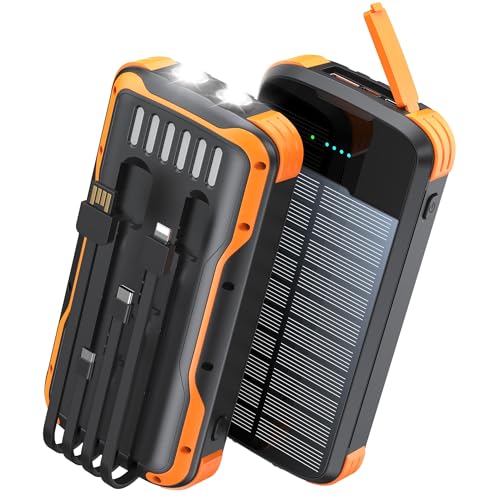
SOXONO Solar Power Bank 40000mAh PD20W Fast Charging Portable Solar Charger
- High Capacity Battery: 40000mAh lithium polymer battery
- Multiple Device Charging: Charges up to 5 devices simultaneously
- Built-in Charging Cables: Includes 4 integrated charging cables
As an affiliate, we earn on qualifying purchases.

YELOMIN 38800mAh Solar Power Bank, Portable Charger USB-C Fast Charging Compatible with iPhone Samsung, Dual LED Flashlight Battery Pack, 3 Output Backup Charger for Camping Hiking Outdoor Emergency
- High Capacity: 38800mAh portable solar power bank
- Weatherproof Design: Waterproof and dustproof for outdoor use
- Fast Charging: USB-C and 3 outputs for multiple devices
As an affiliate, we earn on qualifying purchases.