TL;DR

Get backup power and energy gear delivered free — and shop member deals
- Fast, free delivery on millions of items
- Access to Prime Big Deal Days deals on October 6–7
- Prime Video, Amazon Music and more included
Solar backup power stations store electricity in a rechargeable battery and use an inverter to run devices during an outage. Choose by both watt-hours (how much energy you have) and watts (how much power devices need at once), then account for real-world losses, startup surges, and solar conditions.
A refrigerator can go quiet in seconds when the power fails, but the warm food inside gives you a few hours to make a plan. A solar backup power station can keep selected essentials running without the exhaust and engine noise of a conventional generator.
The useful question is not whether a station can power a home in general, but which devices it can support, for how long, and how you will recharge it. Those answers depend on both the station’s output and its stored energy, as well as the conditions you expect during an outage.
Choose a station by both capacity in Wh and continuous output in W; check surge output for refrigerators, pumps, and other motor-driven appliances.
Estimate runtime from usable battery energy and device draw, then allow for inverter losses, changing loads, and a reserve.
Match panel wattage, voltage, connectors, and solar-input limits to the station; sunlight conditions determine real charging speed.
Price the complete setup, including compatible panels and expansion batteries, and weigh portability against capacity.
Keep the station dry and ventilated, follow its manual, and use a licensed professional for home electrical integration.
What a solar backup power station can do during an outage
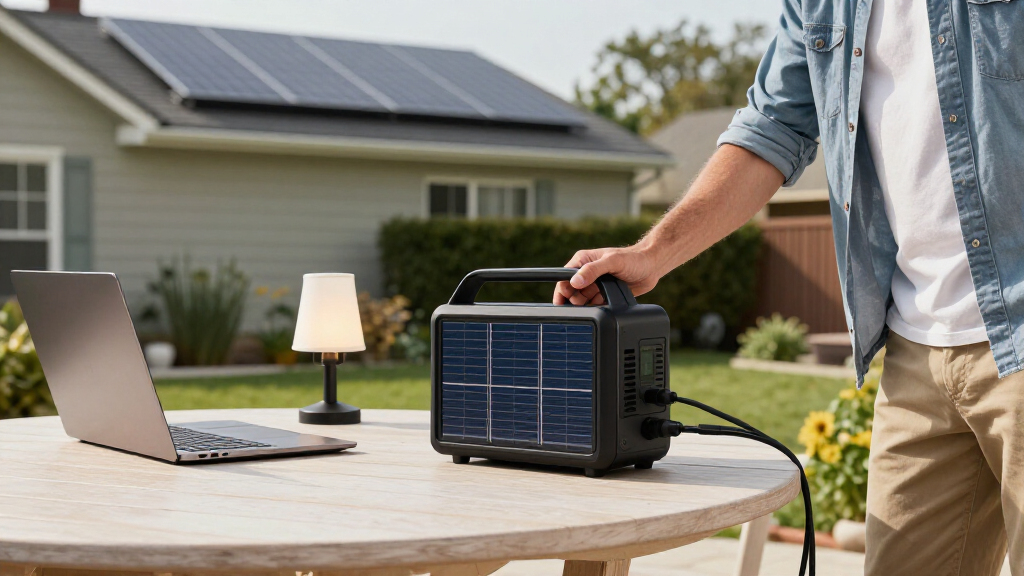
A solar backup power station stores electricity in a rechargeable battery, then uses an inverter to supply power to compatible devices. Often called portable power stations, these units combine a rechargeable battery, an inverter, and input ports for charging from a wall outlet, car, or compatible solar panels. They make no exhaust while operating and are generally quieter than gas generators.
Think of the battery as a water tank and the inverter as a tap: capacity tells you how much energy is stored, while output tells you how quickly you can draw it. These are separate limits. A large battery may hold enough energy for hours but still lack the inverter output to start a refrigerator. A powerful inverter may start that appliance but drain a small battery quickly. Checking both ratings helps you avoid mistaking “can run this device” for “can run it long enough to be useful.”
That makes a station useful for a targeted outage plan, rather than a promise to power everything at home. For example, you could keep a router online for work, charge phones, and run a small fan while leaving an electric oven off. High-heat appliances often draw so much power that they consume stored energy rapidly, leaving less for the devices that matter over the full outage. Before relying on a station, identify which loads are essential and consider whether they must run together.
Choose capacity and output that match your essential devices
A solar backup power station needs enough watt-hours (Wh) for the total energy you use and enough watts (W) to run devices at the same time. Capacity is the size of the energy “tank”; continuous output is the flow available from the inverter. Appliances with motors or compressors can also need a brief startup surge above their normal running draw. If that surge exceeds the station’s limit, the appliance may fail to start even when the battery is full. If several devices run at once, add their power needs and check that the combined load stays within the continuous rating.
Estimate runtime by dividing usable battery energy by device power draw, then expect a shorter result in real use. A 1,000 Wh station divided by a 100 W load suggests 10 hours on paper, but inverter losses, battery management, and changes in the load cut into that time. The nameplate capacity is not necessarily the energy available at the outlet: some energy is lost as the inverter converts battery power, and the station may reserve energy to protect the battery. A refrigerator cycles on and off, so its average draw differs from its running wattage; using its running wattage for every hour may overstate consumption, while ignoring its startup surge may understate the output required.
Picture a winter outage: your router uses 10 W for eight hours, drawing about 80 Wh before losses; four 5 W LED bulbs used for five hours add about 100 Wh. That is roughly 180 Wh of estimated use, before you add a reserve. The reserve matters because usage rarely follows a perfect schedule: the outage may last longer, the router may draw more than its stated average, or you may need to charge a phone unexpectedly. A refrigerator can change the calculation significantly, so check its label or measure its use with a suitable energy meter.
- List essentials, such as lights, communications equipment, medical devices, or a fridge. Decide which ones need to operate at the same time and which can take turns.
- Record watts and hours for each device, using the manual or product label when possible. Multiply watts by hours to estimate Wh; for cycling devices, an energy measurement over a representative period is more useful than a brief watt reading.
- Add the estimated energy for your outage window, then allow extra capacity for losses and unexpected needs. A longer target runtime generally means a larger, heavier, and more expensive station.
- Check continuous and surge ratings against the appliances you plan to run together. The capacity estimate tells you how long energy may last; the output check tells you whether the load can run at all.
This estimate helps you avoid buying a heavy, expensive station that still cannot handle your most important appliance. It also makes tradeoffs visible: shortening device hours, rotating loads, or dropping a nonessential appliance can sometimes meet your needs with a smaller station.
Compare battery life, portability, and total cost
A solar backup power station is a better fit when its battery chemistry, weight, and warranty suit the way you’ll use it. Many newer models use lithium iron phosphate (LFP or LiFePO₄), valued for thermal stability and long cycle life; other lithium-ion chemistries can pack a given capacity into a smaller, lighter unit. Compare the maker’s cycle-life definition, warranty, and expected capacity retention rather than relying on chemistry alone. Cycle-life figures depend on how a manufacturer defines a cycle and the capacity remaining at the end of the test, so two headline numbers may describe different things.
| What to compare | Why it matters | Question to ask |
|---|---|---|
| Capacity | Sets the energy available for your devices. | How many Wh do my essentials need? |
| Output | Limits which loads can run together. | Does continuous and surge output cover them? |
| Battery and warranty | Affects service life and replacement options. | What cycle-life test and warranty terms apply? |
| Weight and cost | Shapes where you can store and use the station. | Can I carry it, and have I priced panels or expansion batteries too? |
Imagine carrying a station up two flights of stairs to keep a router and lamps running. Extra capacity may sound reassuring, but you’ll feel every added kilogram. If the unit will stay in a garage or utility room, portability may matter less than output, charging speed, or expansion options. Think about the route from storage to use, too: a station that is easy to move on level ground may be awkward on stairs or through a narrow doorway.
Newer models may include faster AC charging, higher-power USB-C ports, app monitoring, or expandable batteries. Those features vary by model, and product claims are not always directly comparable. Expansion can extend runtime, but it adds cost, weight, and sometimes compatibility constraints; it does not increase the inverter’s output unless the system is specifically designed to do so. Check current manufacturer specifications, warranty terms, certifications, and compatibility before you buy. Comparing the complete setup price—station, panels, cables, and any expansion battery—gives a more useful picture than comparing the station price alone.
Set up solar charging around real sunlight
A solar backup power station only recharges as quickly as its solar input limits and the conditions allow. Your panel wattage, the station’s maximum solar input, connector, and voltage limits all need to work together. Rated panel output is a laboratory maximum; shade, cloudy weather, season, panel angle, and heat can reduce the energy you collect. This means a panel’s wattage rating is not a forecast of how much energy it will deliver over a day. For outage planning, the total energy collected over likely daylight hours matters more than a brief peak reading.
Suppose your station accepts up to 400 W of solar input and you have two compatible 200 W panels. That does not mean you’ll receive 400 W continuously: a passing cloud or a shadow from a chimney can quickly lower output. Check the manual for voltage and connector limits before connecting panels, especially when you combine panels or use another brand. Electrical limits matter because an incompatible panel arrangement can prevent charging or exceed the station’s permitted input. A suitable connector alone does not establish that the panel’s voltage is safe for the station.
Place panels in an open, unshaded spot and adjust their angle as the sun moves. A panel behind a window may charge more slowly because glazing cuts the sunlight reaching it. Cloudy-day charging is possible when the equipment supports it, but lower light means less energy and a longer recharge. Panel placement also involves a practical tradeoff: a sunny location may be farther from the station, so use only cables and distances permitted by the manufacturers and keep electrical connections protected as instructed.
If you expect several days without grid power, plan around how much sunlight you can realistically capture and how much energy you’ll use each day. If daily use exceeds realistic solar input, the battery will gradually run down even if it recharges during daylight. Reducing loads, adding compatible panel capacity within the station’s limits, or having another charging source can change that balance. A station with multiple solar inputs may offer more charging flexibility, but it cannot make weak sunlight behave like a clear midday sun.
Use portable backup safely, and know when to call a professional
A solar backup power station is generally quiet and exhaust-free while operating, but safe use still depends on following the manual and keeping the unit dry and well ventilated. Use it within its specified operating and charging temperatures. Read the manufacturer’s guidance on storage, charging, and maintenance before an outage, when the instructions are easier to find. Temperature limits matter both for safe operation and battery performance; a station that has been stored in a cold or hot space may need to return to its permitted range before use or charging.
Never plug a station into a home wall outlet to send power through household wiring. That can create a dangerous electrical hazard. Home integration requires equipment designed for that purpose and installation by a licensed professional who can follow applicable electrical codes and permit requirements. Household wiring can connect to other circuits and the utility supply, so an improvised connection can expose wiring or workers to energized power in ways a portable-device setup does not.
For example, if you want backup power at selected household circuits instead of extension cords running to individual devices, ask a licensed electrician to assess the setup. If you use cords for standalone devices, follow the station’s instructions, keep connections dry, and avoid overloading the unit. Check that a cord is rated for the load and suitable for its location; a cord that is undersized or exposed to water can introduce hazards even when the station itself is operating normally. A portable station can support selected appliances; whole-home backup takes a properly designed system.
Never feed a station into home wiring through a wall outlet. Use only a connection method approved for your equipment and installed as required by a licensed professional.
Turn your outage plan into a short test before you need it
A solar backup power station becomes more useful when you test the devices, cords, and charging plan before the lights go out. Use your list of essentials to decide what runs first and what can wait. Keep a reserve for a surprise need, such as a longer outage or a device that draws more power than expected. A test turns estimates into observed behavior: it can show whether the station handles the actual combination of loads and whether your expected runtime is realistic.
On a quiet weekend, charge the station, connect your intended loads, and note how quickly the battery percentage falls. For instance, you might test the router and two lamps together for an hour, then check whether the result matches your rough estimate. Battery percentages are approximate, so a short test is a useful check rather than a precise runtime guarantee; longer tests or an energy meter can reveal patterns more clearly. This small rehearsal can reveal an incompatible plug, an unexpected high draw, or a cord that won’t reach the room you need.
- Keep the manual handy and learn the station’s display and alarms.
- Confirm solar compatibility, including connector and voltage limits, before an outage.
- Recheck stored charge on the schedule the manufacturer recommends.
- Prioritize essentials if the outage lasts longer than your battery or sunlight can cover.
For medical equipment, check the device maker’s power requirements and discuss backup needs with your care team. A battery station’s label alone does not confirm that it suits every sensitive or life-supporting device. Confirming runtime, alarms, and any required backup procedure with the care team helps ensure the plan accounts for the consequences of an interruption, not only the device’s wattage.
Frequently Asked Questions
Can a solar backup power station run my whole house?
A portable station can run selected compatible devices, but whole-home backup depends on much greater capacity, output, and properly designed electrical connections. Ask a licensed electrician to assess home integration and local code or permit requirements.
How long will a 1,000 Wh power station run a 100 W device?
Dividing 1,000 Wh by 100 W gives a rough estimate of 10 hours. Actual runtime will be shorter because of inverter losses, battery management, and changes in the device’s power draw.
Will solar panels charge a power station on a cloudy day?
Compatible panels can still collect some energy on a cloudy day, but lower sunlight usually means slower charging. Shade, panel angle, season, and the station’s solar-input limits also affect the result.
Can I use a solar panel from a different brand?
Possibly, if the panel’s connector and voltage fall within the station maker’s limits. Check the manual before connecting it, and confirm any limits for combining panels.
Is an LFP battery always the best choice?
LFP batteries are valued for thermal stability and long cycle life, while other lithium-ion chemistries may offer a lighter, smaller package for the same capacity. Compare the specific model’s warranty, cycle-life definition, weight, and capacity retention to your needs.
Conclusion
Start with the devices you need to keep running, estimate their energy use, and choose a station that meets both their wattage and runtime needs. Test that plan before an outage, so the first quiet evening without power feels manageable rather than uncertain.
Fall Picks
fall essentials
As an affiliate, we earn on qualifying purchases.