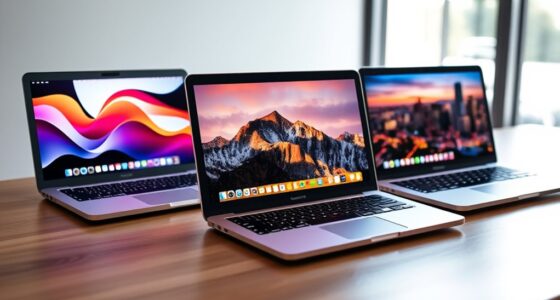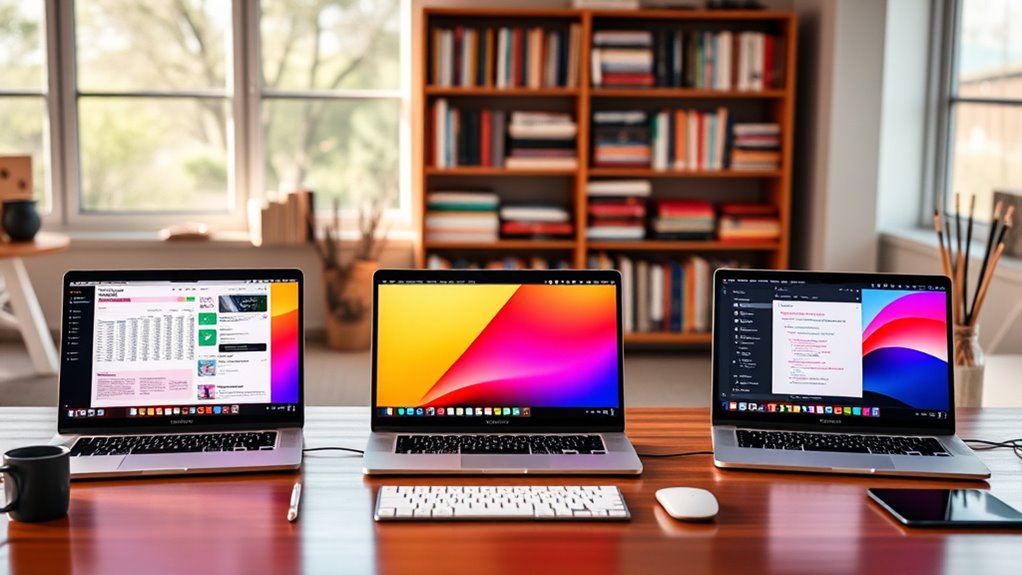

Choosing a MacBook Pro for college power users means balancing sustained performance against campus portability, screen space, memory, and the practical risks of buying renewed. I rank the 14-inch M5 first for its mix of current-generation speed, useful ports, and easier daily carry; the 16-inch M5 Pro is my pick for students who need more screen and memory for demanding projects; and the 16-inch M5 Max suits unusually heavy graphics and AI workloads. The two renewed M1 models can offer substantial memory or storage, but their older chips and renewed condition make them more specialized choices.

Get backup power and energy gear delivered free with Prime
- Fast, free delivery on millions of items
- Prime Video, Amazon Music and more included
- Member-only deals all year
My ranking favors a machine that can handle complex coursework without making everyday campus use needlessly difficult. A larger display is welcome for editing, coding, and split-screen research, but it adds bulk; more memory helps keep demanding applications open, but only matters if your workload can use it. I also distinguish current configurations from older renewed models, since listed specifications alone do not settle questions about battery condition or refurbishing.
Key Takeaways
- The 14.2-inch M5 is the most balanced pick here: it pairs current-generation performance with 1TB storage, 16GB memory, and a broader set of campus-friendly ports.
- The 16.2-inch M5 Pro offers the clearest step up for serious coursework, with 24GB memory, 1TB storage, Thunderbolt 5, and support for up to three external displays.
- The M5 Max is best reserved for students who can use its 40-core GPU, 128GB memory, and four-display support; most college workloads do not need that much capacity.
- The renewed M1 Pro combines 32GB memory and a large 120Hz XDR display, but its 512GB SSD and renewed condition call for more scrutiny than the newer options.
- The renewed M1 Max doubles the older model’s storage to 1TB, but the listing’s conflicting display and battery details make it the least straightforward recommendation.
| Apple 14.2-inch MacBook Pro with M5, 10-core CPU, 10-core GPU, 16GB Memory, and 1TB SSD (Space Black) |  | Best Overall for Campus Power Users | Chip: Apple M5, 10-core CPU | Graphics: 10-core GPU | Display: 14.2-inch Liquid Retina XDR | VIEW ON AMAZON | See Our Full Breakdown |
| Apple MacBook Pro 16.2-inch with M5 Pro, 18-core CPU, 20-core GPU, 24GB Memory, 1TB SSD |  | Best Large-Screen Current-Generation Pick | Processor: Apple M5 Pro, 18-core CPU | Graphics: 20-core GPU | Display: 16.2-inch Liquid Retina XDR | VIEW ON AMAZON | See Our Full Breakdown |
| Apple MacBook Pro 16.2-inch with M5 Max, 18-Core CPU, 40-Core GPU, 128GB Memory, 2TB SSD, Space Black |  | Best for Extreme Creative and AI Workloads | Chip: Apple M5 Max | CPU and GPU: 18-core CPU; 40-core GPU | Display: 16.2-inch Liquid Retina XDR | VIEW ON AMAZON | See Our Full Breakdown |
| Apple 2021 MacBook Pro 16-inch with M1 Pro, 32GB RAM, 512GB SSD, Space Gray (Renewed) |  | Best Renewed Option for Memory-Heavy Multitasking | Model year and condition: 2021; renewed | Processor: Apple M1 Pro, 10-core CPU | Graphics: 16-core GPU | VIEW ON AMAZON | See Our Full Breakdown |
| Apple 2021 MacBook Pro 16-inch with M1 Max, 32GB RAM, 1TB SSD, Space Gray (Renewed) |  | Best Renewed Pick for More Local Storage | Model year and condition: 2021; renewed | Chip: Apple M1 Max | Memory: 32GB RAM | VIEW ON AMAZON | See Our Full Breakdown |
| macbook pro for college power user | Display | Memory | Storage | Chip |
|---|---|---|---|---|
| Apple 14.2-inch MacBook Pro wi | 14.2-inch Liquid Retina XDR | 16GB unified memory | 1TB SSD | Apple M5, 10-core CPU |
| Apple MacBook Pro 16.2-inch wi | 16.2-inch Liquid Retina XDR | 24GB unified memory | 1TB SSD | — |
| Apple MacBook Pro 16.2-inch wi | 16.2-inch Liquid Retina XDR | 128GB unified memory | 2TB SSD | Apple M5 Max |
| Apple 2021 MacBook Pro 16-inch | 16.2-inch Liquid Retina XDR, 3456 × 2234, 120Hz ProMotion | 32GB unified memory | 512GB SSD | — |
| Apple 2021 MacBook Pro 16-inch | 16-inch Liquid Retina XDR; listed resolution 3456 × 2234 | 32GB RAM | 1TB SSD | Apple M1 Max |
More Details on Our Top Picks
Apple 14.2-inch MacBook Pro with M5, 10-core CPU, 10-core GPU, 16GB Memory, and 1TB SSD (Space Black)
For most students who want a MacBook Pro that can handle demanding work and still fit into a busy campus routine, I rank this 14.2-inch M5 first. Its 10-core CPU and 10-core GPU are paired with 16GB unified memory and a 1TB SSD, a practical balance for coding, photo work, multitasking, and keeping course files locally. Compared with the 16-inch M5 Pro, it gives up memory, GPU resources, and screen area, but the smaller display makes it easier to carry between classes and study spaces.
The Liquid Retina XDR display, up to 1600 nits peak brightness, and six-speaker audio make it a strong all-rounder for visual work and media. Its port selection is especially useful for a student who plugs into classroom screens, external storage, or an SD card: three Thunderbolt 4 ports sit alongside MagSafe 3, HDMI, SDXC, and a headphone jack. That reduces reliance on adapters compared with a minimal-port laptop.
The limitation is headroom. 16GB memory is a sensible starting point for many power users, but students running several heavy creative tools, virtual machines, or large local AI workloads may benefit from the M5 Pro’s 24GB or the M5 Max’s much larger memory allocation. I would also choose a 16-inch option if the laptop will mostly stay on a desk and screen space matters more than carrying comfort. This is the best balanced pick, not the most expandable-feeling configuration in this lineup.
Pros:- M5 chip with a 10-core CPU and 10-core GPU for demanding everyday coursework
- 1TB SSD gives room for projects, applications, and offline files
- Bright 14.2-inch Liquid Retina XDR display in a more campus-friendly size
- HDMI, SDXC, MagSafe 3, and three Thunderbolt 4 ports reduce adapter dependence
Cons:- 16GB unified memory offers less headroom than the 24GB M5 Pro and 32GB renewed models
- Smaller display and less graphics capacity than either 16-inch M5 configuration
Best for: Students who carry their laptop across campus and want current-generation performance, 1TB storage, strong built-in connectivity, and a high-quality display for mixed technical and creative coursework.
Not ideal for: Students with sustained GPU-heavy work, large local AI models, or a need for more than 16GB memory; those users should look at the M5 Pro or M5 Max instead.
- Chip:Apple M5, 10-core CPU
- Graphics:10-core GPU
- Display:14.2-inch Liquid Retina XDR
- Memory:16GB unified memory
- Storage:1TB SSD
- Peak brightness:Up to 1600 nits
- Camera and audio:12MP Center Stage camera; six speakers
- Ports:Three Thunderbolt 4, MagSafe 3, SDXC, HDMI, headphone jack
Our verdict“I recommend this as the most balanced college power-user MacBook Pro when portability matters as much as performance.”
Apple MacBook Pro 16.2-inch with M5 Pro, 18-core CPU, 20-core GPU, 24GB Memory, 1TB SSD
I place the 16-inch M5 Pro second because it is the better tool for students whose coursework regularly pushes beyond ordinary multitasking. Its 18-core CPU, 20-core GPU, 24GB unified memory, and 1TB SSD create more room for complex creative projects, software development, and on-device AI work than the 14-inch M5. It also brings a 16.2-inch XDR display, which makes split-screen research, timelines, and code easier to view without immediately reaching for an external monitor.
Compared with the M5 Max, this configuration is the more restrained choice: it has fewer graphics cores and less memory, but still supports up to three external displays and includes Thunderbolt 5, HDMI, SDXC, and MagSafe 3. For a student who needs a desktop-like setup in a dorm or studio but still moves between campus locations, that combination is more practical than paying for the Max’s four-display and 128GB-memory capacity on paper. Wi-Fi 7 and Bluetooth 6 also make it a current connectivity option.
The tradeoff is physical: a 16.2-inch laptop takes up more space in a bag and on lecture desks than the 14-inch M5. Its graphics capacity is also below the M5 Max, so students with especially demanding 3D, video, or machine-learning workloads may want the top configuration. I would skip this model if portability is the main priority or if coursework rarely strains a less powerful computer; its advantage appears when the larger screen and added memory are genuinely useful.
Pros:- 18-core M5 Pro CPU and 20-core GPU target demanding creative and technical work
- 24GB unified memory adds headroom over the 14-inch M5
- 1TB SSD and 16.2-inch XDR display suit large projects and split-screen study
- Thunderbolt 5, HDMI, SDXC, and support for up to three external displays
Cons:- 16-inch chassis is less convenient to carry and use in cramped lecture settings
- Less GPU and memory capacity than the M5 Max configuration
Best for: Students in computing, design, video, or data-heavy programs who want a large built-in workspace, current-generation performance, 24GB memory, and room for multiple external displays.
Not ideal for: Students who prioritize a smaller campus carry, need the M5 Max’s 40-core GPU or four-display support, or mainly use lightweight productivity applications.
- Processor:Apple M5 Pro, 18-core CPU
- Graphics:20-core GPU
- Display:16.2-inch Liquid Retina XDR
- Memory:24GB unified memory
- Storage:1TB SSD
- Wireless:Wi-Fi 7 and Bluetooth 6
- Ports:Three Thunderbolt 5, MagSafe 3, SDXC, HDMI, headphone jack
- External displays:Up to three
Our verdict“I would choose this over the 14-inch M5 when coursework benefits from the larger screen and extra memory more than campus portability.”
Apple MacBook Pro 16.2-inch with M5 Max, 18-Core CPU, 40-Core GPU, 128GB Memory, 2TB SSD, Space Black
This is the lineup’s clear maximum-capacity choice, rather than the sensible default for every college power user. The M5 Max combines an 18-core CPU and 40-core GPU with 128GB unified memory and 2TB SSD. That capacity can serve students handling large creative projects, high-resolution media, complex 3D scenes, or local AI workloads that can use substantial memory and graphics resources. The 16.2-inch Liquid Retina XDR screen also gives detailed work more room than the 14-inch M5.
Relative to the M5 Pro, the Max configuration stands out most when the work is GPU-heavy or the student needs more simultaneous external screens: it supports up to four displays, versus three for the M5 Pro. Three Thunderbolt 5 ports, HDMI, SDXC, and MagSafe 3 help it serve as the center of a demanding desk setup. Wi-Fi 7 and Bluetooth 6 round out the modern connection options. For specialized creative coursework, those are meaningful advantages rather than just impressive numbers.
Most students, however, will not make full use of 128GB memory and a 40-core GPU. Compared with the M5 Pro, this is a more specialized machine with substantially more capacity, but that headroom does not automatically improve note-taking, standard coding assignments, or ordinary research. It is also a 16-inch laptop, so it carries the same campus-size compromise as the M5 Pro. I would reserve it for workloads with a clear need for its GPU, memory, storage, or display support rather than choosing it simply as the most powerful option.
Pros:- M5 Max pairs an 18-core CPU with a 40-core GPU for demanding graphics work
- 128GB unified memory and 2TB SSD provide unusually large local capacity
- 16.2-inch Liquid Retina XDR display suits detailed creative tasks
- Thunderbolt 5 ports and support for up to four external displays
Cons:- Its memory and graphics capacity exceed what most college workloads can use
- Large 16.2-inch format is less convenient for frequent campus carrying
Best for: Students whose degree work includes intensive video production, 3D graphics, large-scale creative projects, or local AI work that can benefit from very high memory and GPU capacity.
Not ideal for: Most students, especially those focused on standard coursework or who want an easier laptop to carry; the M5 or M5 Pro is a more balanced fit for those needs.
- Chip:Apple M5 Max
- CPU and GPU:18-core CPU; 40-core GPU
- Display:16.2-inch Liquid Retina XDR
- Memory:128GB unified memory
- Storage:2TB SSD
- Brightness:Up to 1600 nits peak; up to 1000 nits sustained
- External displays:Up to four
- Wireless and ports:Wi-Fi 7, Bluetooth 6; three Thunderbolt 5, MagSafe 3, SDXC, HDMI, headphone jack
Our verdict“I recommend the M5 Max only when a student can name workloads that benefit from its 40-core GPU, 128GB memory, or four-display support.”
Apple 2021 MacBook Pro 16-inch with M1 Pro, 32GB RAM, 512GB SSD, Space Gray (Renewed)
The renewed 16-inch M1 Pro takes a different path from the newer models: it offers 32GB unified memory and a large high-refresh-rate display, but pairs them with an older-generation chip and a 512GB SSD. That memory can help students who keep many demanding applications open or work with larger projects, while the 120Hz ProMotion XDR display offers a spacious, smooth workspace. Against the 14-inch M5, this model has twice the listed memory and a larger screen, but the newer M5 configuration provides a newer chip, more storage, and a more compact body.
Its 10-core CPU and 16-core GPU remain directed at serious work, and the listing describes battery life of up to 20–21 hours depending on workload. A 1080p camera, six-speaker audio, and Touch ID also make it well equipped for classes and remote collaboration. Compared with the renewed M1 Max, the M1 Pro here has less storage but avoids that other listing’s conflicting display and battery details. It is a more legible choice among the two renewed 16-inch models, though the condition still merits careful attention.
The main caveat is not just age: it is renewed condition. Battery health and cosmetic state can vary, and the provided description does not establish the condition of this particular unit. Its 512GB SSD may also feel tight for video libraries, large datasets, or several years of offline files. I would choose it when 32GB memory and a spacious screen matter more than current-generation hardware; students who want a new-generation MacBook Pro or 1TB storage should favor the M5 or M5 Pro.
Pros:- 32GB unified memory supports heavier multitasking than the 14-inch M5
- 16.2-inch XDR display with 120Hz ProMotion gives projects ample screen space
- 10-core M1 Pro CPU and 16-core GPU are suited to demanding workflows
- 1080p camera, six-speaker audio, and Touch ID
Cons:- Renewed condition means battery and cosmetic state may vary
- 512GB SSD is smaller than the 1TB storage in both current-generation picks
- Older M1 Pro platform trails the newer M5 configurations in this roundup
Best for: Students who want a large 120Hz XDR display and 32GB memory for multitasking, and who are comfortable considering a renewed computer.
Not ideal for: Buyers who require a new device, want a 1TB SSD, or prefer a current-generation chip and smaller campus-friendly footprint.
- Model year and condition:2021; renewed
- Processor:Apple M1 Pro, 10-core CPU
- Graphics:16-core GPU
- Display:16.2-inch Liquid Retina XDR, 3456 × 2234, 120Hz ProMotion
- Memory:32GB unified memory
- Storage:512GB SSD
- Battery life:Up to 20–21 hours, depending on workload
- Camera and audio:1080p FaceTime HD; six-speaker sound system
Our verdict“I would consider this renewed M1 Pro for its 32GB memory and large display, but only after weighing the older platform and variable condition.”
Apple 2021 MacBook Pro 16-inch with M1 Max, 32GB RAM, 1TB SSD, Space Gray (Renewed)
The renewed 16-inch M1 Max is aimed at students who want an older high-performance MacBook Pro with more local storage than the M1 Pro listing. It pairs the M1 Max chip with 32GB RAM and a 1TB SSD, which gives creative projects and offline course materials more room than the M1 Pro’s 512GB drive. Its 16-inch Liquid Retina XDR display and 1080p camera are also relevant for editing and remote classes. Compared with the current M5 Pro, though, it is a renewed 2021 machine rather than a newer-generation configuration with Thunderbolt 5, Wi-Fi 7, and a stated three-display limit.
The M1 Max is described as designed for demanding CPU, graphics, and machine-learning work, making this more specialized than the renewed M1 Pro. The M1 Pro may be the clearer renewed choice for someone focused on memory-heavy multitasking and a 120Hz display, while this M1 Max listing offers more storage and an emphasis on graphics capacity. The supplied details do not state the GPU-core count or external-display support, so I would not assume specific capacities beyond what the listing establishes.
There is an unusual sourcing concern: the product details contain conflicting display and battery information. That makes the listing less straightforward than the renewed M1 Pro, whose panel and battery description is more explicit. The renewed condition adds another unknown, particularly for battery health, and the listed 5.9-pound weight signals a substantial carry for a student moving across campus. I would rank it fifth despite its 1TB SSD because buyers need clear, consistent specifications to compare an older renewed laptop confidently.
Pros:- M1 Max chip is positioned for demanding CPU, graphics, and machine-learning tasks
- 32GB RAM and 1TB SSD offer more storage than the renewed M1 Pro option
- 16-inch Liquid Retina XDR display provides a large work area
- 1080p FaceTime HD camera and backlit keyboard
Cons:- Renewed condition makes battery health and cosmetic state uncertain
- Provided listing has conflicting display and battery details
- Listed weight of 5.9 pounds makes it a substantial daily campus carry
Best for: Students seeking a renewed 16-inch MacBook Pro with 1TB storage and an M1 Max chip for demanding creative work, provided they verify the listing details and renewed condition.
Not ideal for: Buyers who want an unambiguous specification sheet, a new-generation chip, known battery condition, or a lighter laptop for daily campus travel.
- Model year and condition:2021; renewed
- Chip:Apple M1 Max
- Memory:32GB RAM
- Storage:1TB SSD
- Display:16-inch Liquid Retina XDR; listed resolution 3456 × 2234
- Camera:1080p FaceTime HD
- Weight:5.9 pounds
- Listing caveat:Supplied display and battery details conflict
Our verdict“I would shortlist this renewed M1 Max only if 1TB storage and its graphics-focused chip matter enough to justify verifying the inconsistent listing details.”

How We Picked
I ranked these laptops around the demands that distinguish a college power user from a typical student: compiling code, running creative applications, handling large research or media files, using multiple displays, and keeping a computer workable for a full day of classes. I weighed the supplied chip, memory, storage, display, ports, and external-display support against practical ownership factors such as screen size and whether a model is renewed.
The ranking is not a simple contest in maximum specifications. The M5 Max leads on raw capacity, but I place the smaller M5 first because it offers a more balanced campus machine without forcing most students to carry a 16-inch laptop. The M5 Pro follows as the strongest large-screen current-generation choice. Renewed M1 systems sit below those new-generation picks: their 32GB memory can suit demanding multitasking, yet their older chips, more limited storage on the M1 Pro, and unknown battery condition are meaningful tradeoffs. I also treat the M1 Max listing cautiously because its supplied display and battery details conflict.
I have not treated every workload as the same. A computer science major compiling projects, a film student handling large media, and a student writing papers with occasional photo editing need different levels of headroom. I give each product a distinct role and identify who should skip it, rather than implying that the highest specification is automatically the right college purchase.
| macbook pro for college power user | Chip |
|---|---|
| Apple 14.2-inch MacBook Pro wi | Apple M5, 10-core CPU |
| Apple MacBook Pro 16.2-inch wi | — |
| Apple MacBook Pro 16.2-inch wi | Apple M5 Max |
| Apple 2021 MacBook Pro 16-inch | — |
| Apple 2021 MacBook Pro 16-inch | Apple M1 Max |
Factors to Consider When Choosing Macbook Pro For College Power Users
I would start with your most demanding regular workload, then decide how much portability you are willing to trade for screen space and capacity. These five choices split into two current-generation all-rounders, one extreme M5 Max configuration, and two renewed 2021 models. Those groups differ in more than chip speed: memory, storage, connectivity, condition, and the information available in each listing all shape the decision.
Match the chip to what you actually run
For code editors, research, general creative work, and several applications open at once, the 14-inch M5 is the most balanced starting point. The M5 Pro raises CPU and GPU capacity and moves memory to 24GB, which better suits sustained creative or technical workloads. The M5 Max is for work that can take advantage of its 40-core GPU and 128GB memory; ordinary coursework is unlikely to benefit from that much headroom. The renewed M1 chips can still appeal when their 32GB memory allocation fits your workflow, but they are older options and should not be treated as equivalent to current-generation models just because a memory figure is higher.
Choose screen size with your daily routine in mind
A 16.2-inch display gives code, timelines, spreadsheets, and split-screen reading more space. That can reduce the need to connect a monitor while working in a dorm or studio. The cost is a larger laptop to carry and set up in a crowded lecture room. The 14.2-inch M5 is the better fit when you move between classes all day; the M5 Pro and M5 Max make more sense when you regularly use the laptop as your main workstation. The renewed M1 Pro adds a stated 120Hz ProMotion display, but the M5 models are the current-generation choices in this group.
Set memory and storage priorities separately
Memory affects how comfortably a system can handle concurrent applications and larger working projects. That makes the 24GB M5 Pro a useful step above the M5’s 16GB, while the renewed M1 models’ 32GB can appeal to students with heavier multitasking needs. Storage is a different question: the 14-inch M5 and M5 Pro each have 1TB, the M5 Max has 2TB, and the renewed M1 Pro has 512GB. If you keep video, datasets, virtual machines, or project archives on the laptop, favor more SSD capacity or plan a reliable external-storage workflow.
Count your ports and external displays
Students presenting in classrooms, using SD cards, or connecting external drives benefit from ports built into the computer. The 14-inch M5 includes HDMI and SDXC as well as three Thunderbolt 4 ports, MagSafe 3, and a headphone jack. The M5 Pro and M5 Max step up to Thunderbolt 5 and list support for up to three and four external displays, respectively. That display difference matters most for a fixed desk setup; it matters little if you use only the laptop screen. The supplied renewed-model details do not give a comparable full external-display specification, so I would verify that need before choosing one.
Treat renewed condition as a buying factor
Both 2021 options are labeled renewed, which changes the decision beyond chip generation. The provided descriptions do not establish the battery health or cosmetic condition of an individual unit, so check the seller’s condition terms and return coverage before committing. The M1 Pro listing gives a battery-life estimate, but that does not confirm the present condition of a renewed battery. The M1 Max listing adds a separate caution: its provided display and battery details conflict. For a buyer who wants fewer unknowns, I would favor one of the current M5 configurations.
Frequently Asked Questions
Which MacBook Pro is the best fit for most college power users?
I rank the 14.2-inch M5 first for most students who want a strong all-rounder. It combines a current-generation chip, 16GB memory, 1TB storage, a bright XDR display, and campus-useful HDMI and SDXC ports in the smaller size in this group. Students who need more memory or a large built-in workspace should move up to the 16-inch M5 Pro.
Should I choose the 14-inch M5 or the 16-inch M5 Pro?
Choose the 14-inch M5 if you regularly carry your laptop across campus and your workloads fit within its 16GB memory and 10-core GPU. Choose the 16-inch M5 Pro if your study involves demanding creative or technical applications, you want 24GB memory, or you benefit from a larger screen and up to three external displays. The right choice depends more on your everyday workload and routine than on screen size alone.
Does a college student need the M5 Max and 128GB memory?
Most students do not need the M5 Max’s 128GB memory and 40-core GPU. Those specifications are more relevant to specialized video, 3D, or local AI workloads that can use substantial graphics and memory capacity. For coding, general creative projects, and multitasking, the M5 or M5 Pro is a more balanced match; I would select the Max only when its extra capacity answers a real requirement.
Is a renewed M1 Pro or M1 Max still worth considering?
A renewed M1 model may suit someone who values the listed 32GB memory, a 16-inch display, or the M1 Max’s 1TB SSD, and who accepts an older platform. The tradeoff is that renewed condition can leave battery and cosmetic state uncertain. I would compare the seller’s condition and return terms carefully, and I would be especially cautious about the M1 Max listing because its supplied display and battery details conflict.
How much storage should I choose for demanding college work?
For students who keep large project files, media, datasets, or virtual machines on the laptop, 1TB is a more comfortable baseline than the renewed M1 Pro’s 512GB. The M5 Max offers 2TB, but the extra capacity is useful only if your files and applications need it. Students who store most work in a managed cloud service or on external drives may be comfortable with less, while those doing media-heavy work should plan storage around actual project sizes.
Conclusion
For the broadest mix of campus portability and demanding performance, I recommend the 14-inch M5. Students who want a larger workspace and extra memory for serious creative or technical coursework should choose the 16-inch M5 Pro. I would reserve the M5 Max for specialized workloads that can use its extensive GPU and memory capacity. If you prefer a renewed option, the M1 Pro is the clearer choice for 32GB-memory multitasking and a 120Hz display, while the M1 Max makes sense only after its conflicting listing details are checked. Matching the laptop to your real workload will serve you better than selecting the largest specification sheet.
Halloween Picks
halloween
As an affiliate, we earn on qualifying purchases.