
TL;DR
A solar backup power station stores electricity in a battery and supplies it through outlets when you need power away from the grid. Choose one by matching its watt-hour capacity to your desired runtime, its watt output to your devices’ running and startup needs, and its solar input to compatible panels and realistic sunlight.
A battery marked 1,000 Wh sounds like it should run a 100 W device for 10 hours. In practice, you may get less. Conversion losses, changing power draw, and the device itself all affect how long that stored energy lasts.

Get backup power and energy gear delivered free with Prime
- Fast, free delivery on millions of items
- Prime Video, Amazon Music and more included
- Member-only deals all year
A solar backup power station, often called a portable power station, can keep phones, lights, a router, or selected small appliances running when the grid goes down. This guide explains the numbers that matter, how to estimate runtime, what solar charging can realistically do, and where these battery systems reach their limits.
Think of the station as a fuel tank with a built-in power adapter: the capacity tells you how much energy it holds, while the output tells you what it can run at once. Once you separate those two jobs, choosing a useful setup gets much easier.
Use watt-hours to estimate how long a station can run devices and watts to check which devices it can run together.
Check both continuous and surge output before relying on a refrigerator or another appliance with a motor or compressor.
Allow for inverter losses and changing device draw; a 1,000 Wh battery will not necessarily power a 100 W load for 10 hours.
Solar charging depends on sunlight, panel setup, compatibility, and the station’s input ceiling—not just the panel’s advertised wattage.
Plan around selected essential loads; high-demand heating, cooling, and cooking can drain a battery fast or exceed its output.
Know what a solar backup power station can actually do
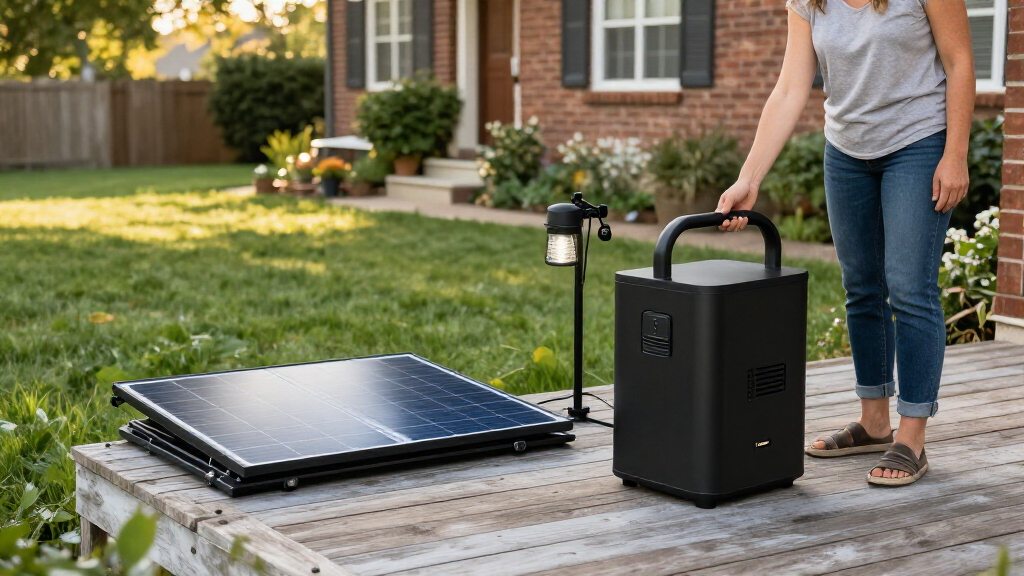
A solar backup power station is a rechargeable battery system with an inverter and outlets that stores electricity and supplies it when you need power. You can charge it from solar panels, a wall outlet, or sometimes a vehicle, then plug compatible devices into its AC outlets, USB ports, or 12-volt output.
The word “solar generator” often describes a battery station paired with solar panels; it does not mean the unit burns fuel like a conventional generator. That difference matters in a storm: the battery itself makes no exhaust while operating, but it still has electrical and temperature limits that you need to follow. Read the manual for charging, load, and storage instructions.
For example, during a short outage, a station might run your router, two LED lamps, and phones while you wait for power to return. That is a different job from powering an electric oven or heating a whole house. A station gives you stored electricity; it does not create an unlimited supply.
Some models add app monitoring, extra-battery connections, or support for a compatible transfer switch. Those features vary by product, so check the exact documentation before you plan to connect a station to a home circuit. A plug-in backup for a few devices is much simpler than whole-home backup.
Think of it as a quiet, rechargeable supply for selected loads. Its value comes from matching your essential devices to its limits.
Products Worth Considering

Milwaukee M12 FUEL 12V 1/4-Inch Hex Impact Driver Kit

Vantrue N4 Pro S 4K 3-Channel Dash Cam

DEWALT 20V MAX Cordless Drill and Impact Driver Combo Kit (DCK240C2)
As an affiliate, we earn on qualifying purchases.
Separate runtime from the ability to start an appliance
Watt-hours (Wh) estimate how long a station can supply energy; watts (W) show how much power it can deliver at one time. You need both numbers because a large battery can still fail to start a device that asks for more power than the inverter can provide.
Imagine a refrigerator that uses 120 W while running but needs a brief surge to start its compressor. The station’s continuous output must handle the ordinary load, and its surge rating must cover that startup demand. A small fridge may fit; a larger model or a crowded group of appliances may not.
To make a first runtime estimate, divide usable capacity by the device’s power draw, then allow for inverter and conversion losses. A 1,000 Wh station divided by a steady 100 W load suggests 10 hours on paper, but actual runtime is shorter if the appliance draws more than its label says or the station loses energy converting battery power to AC.
Use this quick check before you shop:
- List the devices you want to keep running and find their running wattage.
- Check startup demand for appliances with compressors or motors.
- Choose a backup window, such as eight hours overnight.
- Compare both ratings: watt-hours for runtime and watts for simultaneous loads.
A laptop and two lights are a modest load; adding a kettle can change the calculation fast. Electric kettles draw substantial power while heating, so check the station’s output and expect the stored energy to drop quickly.
Compare the numbers that change your real backup time
Compare capacity, output, and solar input separately because each answers a different question about your backup plan. Product pages can make specifications look interchangeable, but a high number in one category cannot fix a shortfall in another.
Picture two people buying stations for an outage. One wants to keep a phone, router, and a few lights alive; the other wants to run a refrigerator. The first may care most about runtime across modest loads, while the second also needs enough continuous and surge output to handle the compressor.
| Specification | What it tells you | Example question |
|---|---|---|
| Capacity (Wh) | How much energy the battery stores | Will it last through the night? |
| Continuous output (W) | How much power it supplies during normal operation | Can it run these devices together? |
| Surge output (W) | Whether it can handle brief startup demand | Can it start a compressor or motor? |
| Solar input (W) | The maximum rate of solar charging the station accepts | How much panel power can it use? |
| Ports and outlets | Which connections your equipment can use | Do your devices need AC, USB-C, or 12 V? |
Published charging times and battery-cycle claims may use different assumptions, so compare manuals and independent tests where available. A panel’s advertised wattage is a rating, not a promise that you will see that power all day. Shade, angle, temperature, and the station’s input ceiling all affect what reaches the battery.
Choose battery chemistry and features for how you’ll use it
Battery chemistry affects lifespan, weight, cost, and usable capacity, but a chemistry label alone cannot tell you how well a station will perform. Many newer products use lithium iron phosphate, or LFP, which generally supports more charge cycles than conventional lithium-ion chemistries; product quality and operating conditions still matter.
If you plan to use the station frequently, such as on regular camping trips or during rolling outages, expected cycle life deserves a close look. A cycle generally describes using and recharging an amount of energy equal to the battery’s capacity; check how the manufacturer defines its cycle claim. If the station will sit ready for rare emergencies, size and storage guidance may matter more to you than a high cycle count.
Ports can shape daily usefulness, too. A laptop owner may want USB-C power delivery, while someone running a 12-volt device should confirm the outlet stays regulated under the kind of load they expect. Some vehicle-style loads fluctuate, and certain stations may shut their 12-volt output off in response.
Consider modular expansion if you may need longer backup later, but confirm that the extra battery works with the exact model. Likewise, transfer-switch support is model-specific. For instance, adding an expansion battery might help a household stretch router and lighting runtime overnight, while it would not make an undersized inverter suitable for a high-demand appliance.
Follow the maker’s temperature and charging limits, and store the unit as directed. A well-chosen station fits your routine and your devices; it is not simply the one with the longest feature list.
Set realistic expectations for solar recharging and home backup
Solar panels recharge a station only as conditions and the station’s input limits allow. Clouds, partial shade, panel orientation, temperature, and the unit’s maximum solar input can all reduce charging power, even when your panel array has a higher advertised rating.
Say you set a panel beside a sunny campsite, but one corner sits in the shadow of a tree. That patch of shade can cut the useful input, and turning the panel toward the sun later may change your results again. Before connecting panels from another brand, check the station’s voltage, current, and wattage limits and the panel connector requirements. A larger array helps only if it stays within those limits.
At home, think in terms of essential devices rather than assuming whole-house coverage. Phones, lights, laptops, and communications equipment can be reasonable targets. Space heating, air conditioning, and electric cooking can consume stored energy quickly or exceed the inverter’s output. A high-capacity station may still be the wrong fit for a large heating load.
Some units can power devices while charging, but that capability and its limits depend on the model. If you want to connect backup power to a home circuit, use only compatible equipment and follow the manufacturer’s instructions; circuit connections and transfer equipment are work for a licensed professional. During an outage, keep your setup within specified load and temperature limits, and don’t improvise wiring.
A useful plan starts with what you truly need: perhaps a refrigerator, a router, and a lamp, with a separate plan for high-draw cooking or heating. That list helps you decide whether a portable power station is enough or whether another backup arrangement makes more sense.
Frequently Asked Questions
How many watt-hours do I need for my devices?
Add the energy your devices use over your planned backup period, then allow extra room for conversion losses and changes in power draw. For example, a router and lights running through the night need a different capacity from a refrigerator you want to keep cold for a full day.
Can a portable power station run a refrigerator?
Some can, but check the refrigerator’s running draw and compressor startup demand against the station’s continuous and surge output. Runtime also depends on how often the compressor runs, so a simple watt-hours division is only an estimate.
Will solar panels charge any brand of station?
Not automatically. Check the station’s allowed voltage, current, and wattage, as well as connector compatibility, before using panels from another brand. A panel array that exceeds the station’s limits may not be usable as planned.
Can I power my whole house with a solar backup station?
A station may run selected essentials, but whole-house backup depends on the unit’s capacity, output, compatible circuit equipment, and the loads in your home. Heating, air conditioning, and electric cooking can use energy quickly or exceed the inverter’s output. Have a licensed professional handle home-circuit connections.
Is LFP better for a backup power station?
LFP batteries generally support more charge cycles than conventional lithium-ion chemistries, which can suit frequent use. Weight, cost, product quality, operating conditions, and the maker’s warranty still matter, so compare the full specifications for the way you plan to use the station.
Conclusion
Start your shopping list with the devices you need, their running and startup wattage, and the hours of backup you want. Then match that list to the station’s usable capacity, output ratings, and compatible solar input, with room for real-world losses.
The best station is the one that keeps your actual essentials running. In a dark house, a lit lamp and a working router can feel like a small island of calm—provided you chose for the load you really have.