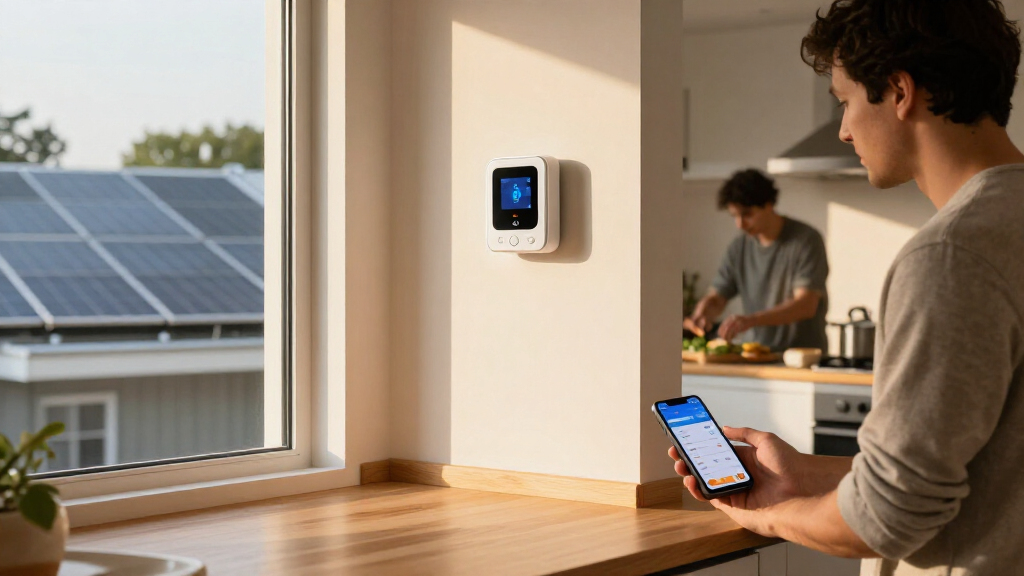
This checklist is for homeowners who want a clearer picture of how electricity is used across their home, with guidance for monitoring whole-home use, individual devices, solar production, and indoor conditions. Start with your goal: choose the section that matches what you want to understand.

Get backup power and energy gear delivered free with Prime
- Fast, free delivery on millions of items
- Prime Video, Amazon Music and more included
- Member-only deals all year
The sections move from whole-home monitoring to device-level tools and supporting sensors. Some slots have a named pick; others offer advice without a product recommendation. That distinction helps you compare what each tool can tell you before deciding what belongs in your setup.
Use each section to check the fit, connection needs, and measurement scope that matter for your home. Confirm compatibility with your electrical service, existing equipment, and intended location before buying, and use the look-for points to compare alternatives.
Whole-Home Energy Monitor
A whole-home monitor is the slot to consider when you want to track electricity use at the service level rather than checking one appliance at a time. The pick is the Eyedro 3-Phase Energy Monitor 200A/600V (Model EB6-EW-E3) – WiFi/Ether. Its name identifies a 3-phase monitor and lists 200A/600V, so the first step is to confirm those specifications match the electrical system you intend to monitor. Service compatibility matters before any other feature comparison. A common mistake is choosing a monitor based on a broad label such as “whole-home” without checking phase, current rating, voltage, and installation requirements. Read the product details and compare them with your panel and service; if those details are unclear, ask a qualified electrician. Also check how the monitor connects and where its readings can be viewed, since a WiFi/Ether listing alone does not establish that your network or preferred setup is supported. Verify the connection details before purchase. Use this pick when its stated electrical specifications and connection options suit your setup. If you need a different phase configuration or cannot confirm fit, pause and compare compatible alternatives. Match the monitor to your service rather than assuming one model fits every home.What to look for:
- Confirm whether your service is 3-phase.
- Check the listed 200A/600V specifications against your system.
- Review installation requirements for your electrical panel.
- Verify WiFi and Ethernet connection details for your network.
- Confirm how readings are accessed and interpreted.
Eyedro 3-Phase Energy Monitor 200A/600V (Model EB6-EW-E3) – WiFi/Ethernet, Real-
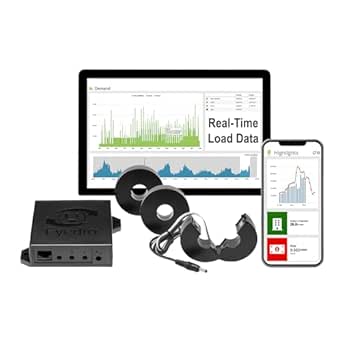
The Eyedro EB6-EW-E3 is a 3-phase energy meter with real-time monitoring of kWh, Watts, Amps, Volts, Power Factor, and cost. It installs non-invasively with split-core CT sensors (3x200A included), connects via 2.4 GHz WiFi or Ethernet, and supports solar/net metering with direction detection.
Pros:
- Non-invasive installation with split-core CT sensors — no wiring changes or special tools required
- Free cloud software with 24/7 data history, alerts, reports, and bill projections — no subscription fees
- Solar and net metering ready, differentiating generated vs. consumed power
- Dual connectivity options via 2.4 GHz WiFi or wired Ethernet
Cons:
- Full net metering with solar breakout requires a second EB6-EW-E3 unit
- European-style power adapter sold separately
- Setup requires configuration in the MyEyedro cloud platform
Best for: Homeowners whose electrical system matches the listed 3-phase, 200A/600V specifications.
Not ideal for: Homes with a different service configuration or unconfirmed compatibility.
Bottom line: Confirm your panel specifications and installation needs before choosing this whole-home monitor.
Smart Energy Meter
A smart energy meter can be a useful category to explore when you want ongoing electricity-use information, but this checklist has no named product pick for the slot. Begin by defining what you need to measure: overall consumption, a particular circuit, or readings from a utility meter. Choose the measurement scope first, because products described with similar labels may serve different purposes. A common buying mistake is assuming that every smart meter reads the same source or provides the same detail. Check whether a candidate works with your meter or electrical service, what installation it requires, and how its readings are displayed. Do not assume that a utility meter can be paired with any add-on device; confirm support with the product documentation and, where relevant, your utility. Check compatibility directly before ordering. Think about how you plan to use the information. If you only need to spot the consumption of one appliance, a whole-home or utility-facing meter may provide more scope than you need. If your goal is a home-wide view, confirm that the meter measures the point you care about and that its app or display gives information in a usable format. Fit the tool to the question you want answered.What to look for:
- Identify whether you need utility-meter, service-level, or circuit-level readings.
- Confirm compatibility with your existing meter and electrical service.
- Check installation requirements and whether professional help is needed.
- Review how readings are displayed and accessed.
- Confirm what data the device measures before comparing features.
Plug-In Electricity Meter
A plug-in electricity meter is an advice-only slot for checking the use of an individual device that connects to a compatible outlet. It can help focus attention on one appliance at a time, but this checklist does not name a specific product. Check the outlet and load before selecting a meter so the device you want to monitor can be used safely with it. A frequent mistake is treating every plug-in meter as suitable for every appliance. Compare the meter’s outlet type, electrical limits, and supported use with the appliance label and your household outlet. Pay particular attention to equipment that draws substantial power or uses a special connection; a basic plug-in unit may not be appropriate. Match the ratings carefully, and seek qualified guidance if you are unsure. Consider whether you need a quick reading, ongoing tracking, or a way to compare several devices. Check how the meter presents its information and whether that format will help you make a decision. Also confirm whether the appliance can remain connected through the meter during normal use. Choose for the device you have, not just the broad product category.What to look for:
- Confirm the meter matches the outlet type you will use.
- Compare its electrical limits with the appliance label.
- Check that the appliance is intended to run through a plug-in meter.
- Review whether readings are immediate or tracked over time.
- Choose a display and controls you can use comfortably.
Solar Power Meter
A solar power meter is the advice-only choice for readers who want to understand solar-related measurements. No specific product is named here, so begin by identifying which value you need and where it should be measured. Define the measurement point: a meter for panel output, system production, and household energy flow may not serve the same purpose. A common mistake is assuming that a generic solar meter will integrate with an existing inverter or monitoring system. Check the device documentation for supported equipment, connection method, and whether it measures the specific part of the system you care about. If you already have an inverter display or app, compare its available readings with the information you want before adding another device. Check system compatibility and avoid relying on category names alone. Installation and placement can also affect whether the reading is useful. Review whether the device requires a connection to wiring, an inverter, or a separate sensor, and follow the manufacturer’s stated installation guidance. If measurement involves electrical work or unclear system wiring, consult a qualified installer. Use a clear installation plan before choosing a candidate.What to look for:
- Decide which solar reading you need and where it is measured.
- Confirm compatibility with your inverter or monitoring system.
- Check the connection method and installation requirements.
- Compare the meter’s readings with information already available in your system.
- Consult a qualified installer when wiring or system fit is unclear.
Smart Power Strip
A smart power strip is a practical slot when you want to control connected devices individually from a strip. The pick is the Kasa Smart Plug Power Strip HS300 with 6 Individually Controlled Outle. Its name indicates six individually controlled outlets, making outlet count and device fit central checks. Check each device’s plug and power needs before planning what to connect. A common mistake is assuming that every outlet on a smart strip has identical capabilities or that all connected equipment is appropriate for remote control. Review the product details for outlet behavior, electrical limits, network requirements, and any devices that should not be switched off unexpectedly. The listing name mentions individual control, but consult the full specifications to confirm the functions you need. Read the complete product details before relying on a particular feature. Plan placement around the strip’s cord, outlet access, and the devices you intend to manage. Confirm that the strip can connect to your home network and that you can reach its controls where you expect to use them. Keep the arrangement simple enough to identify which device is on each outlet. Label or map the outlets if several devices will be connected.What to look for:
- Confirm six individually controlled outlets meet your needs.
- Check plug shape, spacing, and device power requirements.
- Review network setup and supported control features.
- Confirm connected devices can safely be switched off remotely.
- Plan placement so the strip and connected plugs remain accessible.
Kasa Smart Plug Power Strip HS300 with 6 Individually Controlled Outlets and 3 U

The HS300 is a Wi-Fi power strip with six independently controlled outlets and three USB ports for charging devices. It offers surge protection, energy monitoring, and remote or voice control through the Kasa app, Alexa, Google Assistant, or Microsoft Cortana.
Pros:
- Six outlets can be controlled independently
- Three USB ports charge additional devices
- Includes ETL-certified surge protection
- Supports energy monitoring and voice control
Cons:
- Requires a compatible smartphone operating system to use the Kasa app
- USB ports share a 2.4A total output
Best for: Households wanting a strip with six individually controlled outlets.
Not ideal for: Setups with devices that should not be switched off or incompatible plugs.
Bottom line: Confirm outlet fit, network support, and device behavior before connecting equipment.
Wireless Temperature Sensor
A wireless temperature sensor can complement energy monitoring by tracking indoor temperature and humidity in a chosen location. The pick is the Temp Stick Remote WiFi Temperature & Humidity Sensor, Data Logger, No. Its name identifies temperature and humidity sensing, WiFi, and data logging; confirm the complete listing for details that are truncated here. Check the full product specification before purchase. A common mistake is choosing a sensor without considering where it will sit or what conditions it needs to report. Think about the room or area you want to monitor, whether WiFi reaches that location, and how the readings will be accessed. A sensor placed near a heat source, draft, or direct sunlight may not represent the broader room conditions you care about. Choose placement deliberately and follow the manufacturer’s guidance. Check how the device is powered, what setup it requires, and whether its data history meets your needs. The product name includes “Data Logger,” but review the documentation to understand the available history and any account or network requirements. If monitoring a space with specific temperature limits, verify how readings and notifications work before depending on them. Confirm alerts and data access for your intended use.What to look for:
- Confirm the full product name and specifications from the listing.
- Check WiFi coverage at the planned sensor location.
- Review power requirements and setup steps.
- Verify how temperature, humidity, and logged data are accessed.
- Choose a placement away from local heat, drafts, and direct sunlight.
Temp Stick Remote WiFi Temperature & Humidity Sensor, Data Logger, No Subscripti

The Temp Stick is a WiFi-enabled temperature and humidity sensor designed for continuous monitoring in homes, RVs, and refrigerators. It offers real-time alerts via email and text, data logging, and integrates with Alexa and IFTTT, all without subscription fees.
Pros:
- No subscription fees for monitoring and alerts
- Unlimited text and email alerts for peace of mind
- Long battery life of 1-2 years with low power consumption
- Supports automation with Alexa and IFTTT
Cons:
- Does not support 5 GHz WiFi networks
- Requires stable 2.4 GHz WiFi connection
- Limited to WiFi networks not public or guest networks
Best for: Homeowners who want WiFi temperature and humidity readings with data logging.
Not ideal for: Locations without suitable WiFi or buyers who have not confirmed power and setup needs.
Bottom line: Check the complete specifications, network coverage, and placement before relying on sensor readings.
For a budget-first buying order, start by writing down the question you need answered and check whether equipment you already own can answer it. Then prioritize the tool with the clearest fit: a compatible whole-home monitor for service-level use, or a plug-in meter or smart strip for specific devices. Buy for the measurement you need, and add a solar meter or temperature sensor when those readings serve a clear purpose.
You do not need to choose every category at once. Work through the compatibility checks, pick one useful starting point, and expand only when new information would help you make a decision. A focused setup is easier to use and gives you a practical way to learn what your home needs next.