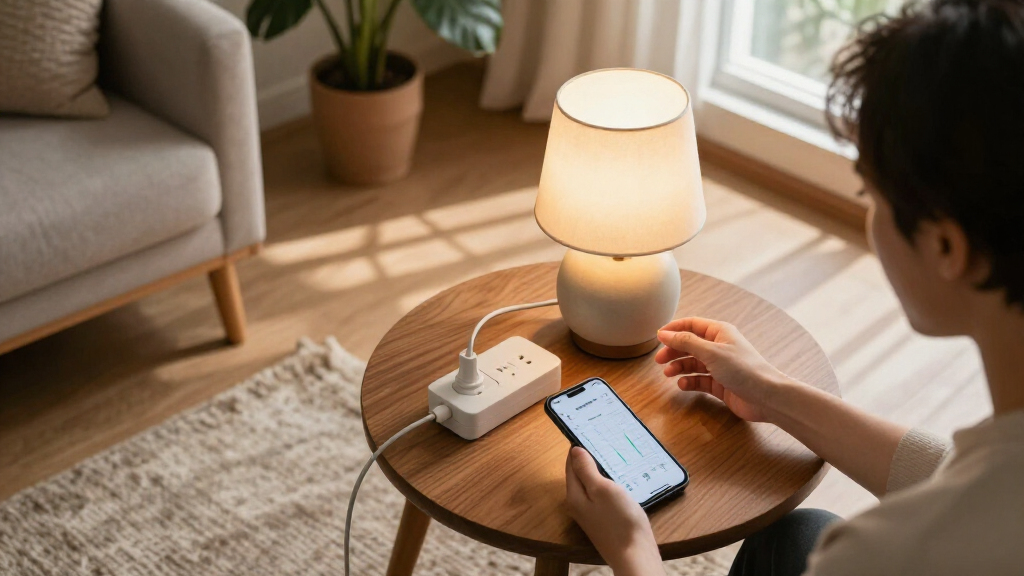

For most homes, I’d start with the Tapo P115 Wi-Fi Smart Plug: it pairs energy monitoring with a 15A rating and several pack-size options. The Kasa KP115 is a strong alternative for shoppers focused on a compact single plug, while the Tapo P110M and Kasa Matter plugs stand out if Matter support matters more than sticking to one brand’s app. The main tradeoffs are smart-home compatibility, pack size, and how much you value energy data alongside basic on/off control. This roundup compares all 14 listed models so you can match a plug to your devices, ecosystem, and monitoring needs. Read on for the full breakdown and a guide to choosing the right setup.

Get backup power and energy gear delivered free with Prime
- Fast, free delivery on millions of items
- Prime Video, Amazon Music and more included
- Member-only deals all year
Key Takeaways
- Tapo P115 is the most balanced starting point in this lineup: it combines energy monitoring and a 15A rating, and it appears in both two- and four-pack versions.
- Matter support separates several picks from app-centered Wi-Fi options: the Tapo P110M, Linkind Matter plug, and Kasa Matter plugs are the options to compare when cross-platform smart-home use is a priority.
- Pack size changes the value calculation: Govee, Tapo, and Kasa each offer multiple pack configurations, so buyers outfitting several rooms can compare sets instead of defaulting to single plugs.
- Energy monitoring is not universal across every listed model: the Kasa EP10P2 listing does not specify monitoring, so it should not be treated as an energy-tracking pick without confirming its features.
- Connectivity and monitoring needs should guide the shortlist: Govee offers both Wi-Fi and Bluetooth, while the lineup also includes dedicated power-monitoring options from Emporia and THIRDREALITY.




| smart plugs with energy monitoring | Connectivity | Pack size | Model | Operating voltage |
|---|---|---|---|---|
| Tapo P115 Wi-Fi Smart Plug wit | 2.4 GHz Wi-Fi | — | P115 | 110 V AC |
| Govee Smart Plug with Energy M | Wi-Fi and Bluetooth; Wi-Fi is 2.4 GHz only | 4 plugs | H5086 | — |
| Kasa Smart Plug Mini with Ener | 2.4 GHz Wi-Fi | — | KP115 | — |
| AiSeek Smart Plug with Energy | 2.4 GHz Wi-Fi | — | KT-US-EM-15AP | 120 V |
| Linkind Matter Smart Plug | 2.4 GHz Wi-Fi; IPv6 required | 4 plugs | LC09003256 | — |
| Tapo P110M Matter-Certified Sm | Matter and Wi-Fi | 4 plugs | — | — |
| Emporia Wi-Fi Energy Monitorin | 2.4 GHz Wi-Fi; 5 GHz not supported | 4 plugs | — | 120 V |
| Kasa Smart Plug Mini 15A with | 2.4 GHz Wi-Fi | 4 plugs | — | 120 V AC |
| Kasa Matter Smart Plug with En | Matter and Wi-Fi | 2 plugs | — | 120 V |
| Tapo P115 Smart Wi-Fi Plug wit | 2.4 GHz Wi-Fi | 2 plugs | — | 125 V |
| Kasa Matter Smart Plug with En | Matter and Wi-Fi; 2.4 GHz Wi-Fi | 4 plugs | KP125MP4 | 120 V |
| THIRDREALITY Smart Plug Gen3 | Zigbee 3.0 | 4 plugs | Smart Plug Gen3 | 110 V |
| Govee Smart Plug with Energy M | Wi-Fi and Bluetooth | 2 plugs | H5086 | — |
| Kasa Smart Wi-Fi Plug Mini 15A | 2.4 GHz Wi-Fi | 2 plugs | EP10P2 | 120 V AC |
More Details on Our Top Picks
Tapo P115 Wi-Fi Smart Plug with Energy Monitoring, 4-Pack, 15A
The Tapo P115 is my best all-around pick for buyers who want useful energy tracking alongside straightforward everyday control. Its Tapo app combines consumption charts with estimated electricity costs, so it can help identify which connected appliance deserves attention rather than just showing a live reading. Compared with the Govee H5086, which records power, current, and voltage with up to a year of history, the P115’s appeal is its charging cut-off and overload shutoff. Scheduling, remote control, and several voice-assistant options round out a flexible setup across four plugs. The tradeoffs are a 2.4 GHz Wi-Fi requirement and cost estimates that depend on accurate settings and electricity tariffs. Choose the Govee if detailed historical measurements matter more; choose this Tapo for a balanced feature set and charging protection.
Pros:- Shows energy statistics and charts, including estimated electricity costs.
- Configurable charging cut-off and overload shutoff add useful protection.
- Supports scheduling, remote control, and Alexa, Google Assistant, and SmartThings.
- Compact plug design helps keep neighboring outlets accessible.
Cons:- Connects only to 2.4 GHz Wi-Fi.
- Cost estimates and savings depend on app settings, device use, and electricity tariffs.
Best for: Households that want app-based energy charts, estimated costs, and charging cut-off across several everyday appliances.
Not ideal for: Buyers whose router only provides 5 GHz Wi-Fi or who need energy-cost estimates that automatically match their utility tariff.
- Model:P115
- Pack quantity:4 plugs
- Connectivity:2.4 GHz Wi-Fi
- Maximum load:15 A / 1800 W
- Operating voltage:110 V AC
- Control:Tapo app, Alexa, Google Assistant, SmartThings
- Features:Energy monitoring, scheduling, remote control, charging cut-off, overload shutoff
- Certification:ETL
Our verdict“Choose the Tapo P115 if you want a capable four-plug set that pairs energy tracking with charging cut-off and broad control options.”
Govee Smart Plug with Energy Monitoring, Wi-Fi and Bluetooth, 4-Pack
For buyers who want to examine energy use over time, the Govee H5086 offers more measurement detail than the Tapo P115: its app tracks power, current, and voltage, with historical records available for up to a year. That makes it a stronger fit for comparing patterns across days or months, while the Tapo is the more attractive choice if charging cut-off is a priority. This four-pack also supports schedules, grouped control, and Alexa or Google Assistant without a hub. Bluetooth joins 2.4 GHz Wi-Fi for setup and connectivity options, but it does not remove the Wi-Fi band limitation. App-based setup and monitoring are tied to Govee Home, so buyers who prefer another ecosystem’s app may find the experience less flexible. Its main advantage is measurement history, not broader platform support.
Pros:- Tracks power, current, and voltage rather than energy use alone.
- Provides daily, weekly, monthly, and up-to-one-year historical data.
- Offers remote, scheduled, grouped, and voice control without a hub.
- Includes both Wi-Fi and Bluetooth connectivity.
Cons:- Does not support 5 GHz Wi-Fi.
- Setup and app-based monitoring require the Govee Home app.
- Does not list the charging cut-off feature offered by the Tapo P115.
Best for: Energy-conscious households that want power, current, and voltage readings plus a long record for comparing appliance use.
Not ideal for: People who need 5 GHz Wi-Fi support, want to avoid the Govee Home app, or prioritize charging cut-off over measurement history.
- Model:H5086
- Pack size:4 plugs
- Connectivity:Wi-Fi and Bluetooth; Wi-Fi is 2.4 GHz only
- Energy measurements:Power, current, and voltage
- Data history:Daily, weekly, monthly, and up to one year
- Control:Govee Home app, Alexa, Google Assistant
- Certifications:ETL, FCC, CA65, SDOC
Our verdict“Pick the Govee H5086 if long-term, multi-measurement energy records matter more to you than charging cut-off or a choice of app.”
Kasa Smart Plug Mini with Energy Monitoring (KP115)
The Kasa KP115 suits buyers who want a single plug for checking an appliance’s energy use without adding a hub or learning a more elaborate smart-home setup. Its real-time energy monitoring sits alongside remote control through the Kasa app, with Alexa, Google Home, and IFTTT support for common routines. Compared with the four-pack Tapo P115, this is a more focused choice for one outlet: the supplied details do not list estimated electricity costs, charging cut-off, or a multi-plug bundle. The UL certification, overheating protection, and fireproof materials help make safety part of the appeal, while its compact listed dimensions give buyers a clearer sense of fit. It remains a 2.4 GHz-only indoor plug, with no stated IP rating for wet or outdoor locations. Consider the Tapo if you need several plugs or charging cut-off.
Pros:- Provides real-time energy-use monitoring through the Kasa app.
- Works with Alexa, Google Home, and IFTTT.
- UL certified with overheating protection and a fireproof shell.
- Does not require a hub for app-based control.
Cons:- Requires a 2.4 GHz Wi-Fi network.
- No IP rating is listed for outdoor or wet environments.
- Does not list the cost estimates or charging cut-off available on the Tapo P115.
Best for: Buyers who want to monitor one indoor appliance through a familiar app and control it with Alexa or Google Home.
Not ideal for: People outfitting several outlets at once, needing outdoor or wet-location use, or requiring 5 GHz Wi-Fi.
- Model:KP115
- Connectivity:2.4 GHz Wi-Fi
- Maximum load:1800 W
- Voltage:120 V AC
- Dimensions:2.62 x 1.57 x 1.5 inches
- Compatibility:Amazon Alexa, Google Home, IFTTT
- Safety:UL certified; overheating protection and fireproof materials
- Warranty:2 years
Our verdict“Choose the KP115 for simple energy monitoring on one indoor appliance, but opt for the Tapo P115 if you want a four-pack and charging protection.”
AiSeek Smart Plug with Energy Monitoring, 15A, 2.4 GHz Wi-Fi, 4-Pack
The AiSeek four-pack makes the most sense for buyers who want to monitor and operate several appliances together through SmartLife. It reports real-time power and energy use, with schedules, timers, remote access, and group control to reduce the work of managing plugs one at a time. Compared with the Kasa KP115, AiSeek supplies four outlets and adds group control; compared with the Tapo P115, it relies on SmartLife and does not list estimated electricity costs or configurable charging cut-off. Its short-circuit and overload protection, fire-resistant construction, and FCC certification add practical safeguards. The app connection also supports Alexa and Google Assistant, though those assistants must be linked through SmartLife. Buyers should expect 2.4 GHz Wi-Fi only, and the available details do not specify a separate energy-history timeline.
Pros:- Tracks real-time power and energy use.
- Supports schedules, timers, remote access, and group control through SmartLife.
- Includes short-circuit and overload protection in a compact design.
- Works with Alexa and Google Assistant and needs no hub.
Cons:- Requires a 2.4 GHz Wi-Fi connection.
- Voice control requires linking Alexa or Google Assistant through SmartLife.
- Does not list long-term energy history or charging cut-off.
Best for: Households already using SmartLife that want real-time energy readings and grouped schedules for several appliances.
Not ideal for: Buyers who want a different primary app, detailed long-term energy history, or voice control without linking an account through SmartLife.
- Model:KT-US-EM-15AP
- Pack count:4 plugs
- Maximum load:1800 W
- Operating voltage:120 V
- Connectivity:2.4 GHz Wi-Fi
- App:SmartLife
- Control features:Energy monitoring, scheduling, timers, group and remote control
- Safety and warranty:FCC certified; short-circuit and overload protection; 2-year warranty
Our verdict“Choose AiSeek if SmartLife group control across four monitored outlets is your priority; the Tapo P115 is a better fit for cost estimates and charging cut-off.”
Linkind Matter Smart Plug, 4-Pack
The Linkind four-pack stands out for buyers who want one smart-plug standard to serve several major platforms. Matter support brings Apple Home, Alexa, Google Home, and SmartThings compatibility, while local network control can keep connected devices operable when internet access is unavailable. That platform flexibility goes beyond the listed integrations on the Govee H5086, but Linkind requires a Matter-certified hub or controller for those platforms; its AiDot app is the stated no-hub option. The product is presented as a smart plug with energy monitoring, but the supplied specifications do not describe measurement detail or data-history length, so buyers focused on analyzing consumption may prefer the Govee’s explicitly listed power, current, voltage, and year of records. IPv6 and 2.4 GHz Wi-Fi requirements also narrow compatibility. It offers safety protections and scheduling, but its chief distinction is ecosystem choice.
Pros:- Supports Matter-compatible Apple Home, Alexa, Google Home, and SmartThings platforms.
- Local network control can work when internet access is unavailable.
- Offers scheduling, timers, and remote app control.
- Includes overload and short-circuit protection with fire-resistant materials.
Cons:- Requires 2.4 GHz Wi-Fi and IPv6.
- A Matter-certified hub or controller is needed for several listed platforms.
- The supplied product details do not specify energy-measurement fields or history duration.
Best for: Smart-home households using Matter-compatible platforms that want local control and a four-plug set.
Not ideal for: Buyers without an IPv6-capable network or Matter controller who want detailed, documented energy readings and history.
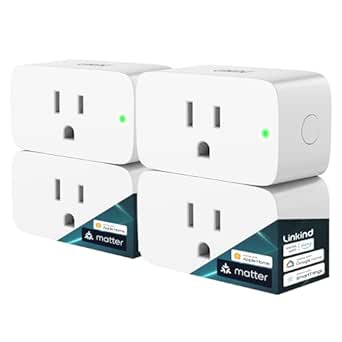
- Model:LC09003256
- Pack size:4 plugs
- Matter support:Yes
- Compatible platforms:Apple Home, Alexa, Google Home, SmartThings, AiDot
- Connectivity:2.4 GHz Wi-Fi; IPv6 required
- Maximum load:15 A / 1800 W
- Control:App, Siri, Alexa, Google Assistant; local network control
- Safety and certification:Overload and short-circuit protection; FCC and ETL certified
Our verdict“Pick Linkind if Matter compatibility and local control matter most, but choose Govee if you need clearly specified energy measurements and long-term records.”
Tapo P110M Matter-Certified Smart Plugs with Energy Monitoring, 15A, 4-Pack
The Tapo P110M is a strong fit for households that want energy tracking without tying their plugs to one major smart-home platform. Its Matter support works with Alexa, Apple HomeKit, Google Home, and SmartThings, while energy statistics, cost estimates, schedules, and power thresholds give you several ways to manage consumption. Compared with the Emporia Wi-Fi Energy Monitoring Smart Plugs, this four-pack offers a higher stated load capacity and broader platform compatibility, but Emporia includes hands-on touch and push-button control. The P110M still depends on 2.4 GHz Wi-Fi and an app or compatible smart-home setup for monitoring and remote features. Its compact shape helps preserve access to adjacent outlets, though buyers who need local control during internet outages may prefer the Kasa Matter model, which explicitly supports local-network control.
Pros:- Matter support works with Alexa, Apple HomeKit, Google Home, and SmartThings.
- Energy statistics and cost estimates help identify power-hungry devices.
- Power thresholds and schedules support automated energy management.
- Compact design is intended to leave neighboring outlets accessible.
Cons:- Connects only to 2.4 GHz Wi-Fi.
- Monitoring and remote control depend on the app or a compatible smart-home setup.
Best for: Households using different Matter-compatible platforms that want energy monitoring and schedules across several appliances.
Not ideal for: Buyers who need 5 GHz Wi-Fi support, app-free energy tracking, or explicitly documented local control when internet access is down.
- Pack size:4 plugs
- Maximum power:1800 W
- Connectivity:Matter and Wi-Fi
- Wi-Fi band:2.4 GHz
- Compatible platforms:Alexa, Apple HomeKit, Google Home, Samsung SmartThings
- Control:App, voice, and scheduling
- Certification:UL certified
Our verdict“Choose the Tapo P110M if you want a four-plug Matter set with energy tracking and broad platform choice.”
Emporia Wi-Fi Energy Monitoring Smart Plugs, 4-Pack
The Emporia four-pack focuses on the basics: monitor a connected appliance’s energy use, switch it remotely, and schedule on/off times in the Emporia app. Its touch and push-button controls offer a practical fallback that the app-focused Kasa EP25 does not list, while Alexa and Google Assistant provide voice control. The tradeoff is a lower 10 A continuous-load limit than the 15 A Tapo P110M and Kasa plugs in this roundup, so it is a less flexible choice for higher-draw devices. Emporia also requires 2.4 GHz Wi-Fi and does not support Apple HomeKit or Matter. That makes it a sensible pick for buyers who want a dedicated four-plug monitoring set for compatible 120 V appliances, but a poor match for mixed-platform homes or equipment that approaches its continuous limit.
Pros:- Tracks energy use for connected appliances.
- App control and scheduling allow remote switching and automation.
- Works with Amazon Alexa and Google Assistant.
- Touch and push-button controls provide direct operation.
Cons:- Continuous load is limited to 10 A, below the 15 A rating of the Tapo P110M and Kasa EP25.
- Requires 2.4 GHz Wi-Fi and does not support 5 GHz.
- Does not list Matter or Apple HomeKit compatibility.
Best for: Alexa or Google Assistant households tracking the use of standard 120 V appliances that stay within a 10 A continuous load.
Not ideal for: Apple HomeKit or Matter users, households on 5 GHz-only Wi-Fi, and buyers who need a 15 A continuous-load rating.
- Pack size:4 plugs
- Operating voltage:120 V
- Continuous load:10 A maximum
- Peak load:15 A for up to 1 hour per day
- Maximum wattage:1200 W
- Connectivity:2.4 GHz Wi-Fi; 5 GHz not supported
- Voice assistants:Amazon Alexa and Google Assistant
- Certifications:ETL and FCC
Our verdict“Pick Emporia for simple energy tracking and direct controls on lower-load appliances in Alexa or Google homes.”
Kasa Smart Plug Mini 15A with Energy Monitoring, 4-Pack (EP25P4)
The Kasa EP25 four-pack earns its place by combining energy monitoring with unusually broad listed compatibility, including Apple HomeKit, Siri, Alexa, Google Assistant, and SmartThings. Its real-time and historical usage data can help distinguish an appliance’s current draw from its longer-term pattern, while timers, schedules, and remote control add everyday convenience without a hub. Compared with the Tapo P110M, the EP25 lists HomeKit support directly rather than relying on Matter compatibility; the Tapo, in turn, adds configurable power thresholds. Both are compact 15 A options, but this Kasa model is limited to 2.4 GHz Wi-Fi, and HomeKit remote access requires an additional networked Apple device at home. Buyers seeking Matter-based local control may prefer the Kasa KP125M instead.
Pros:- Works with Apple HomeKit, Siri, Alexa, Google Assistant, and SmartThings.
- Real-time and historical energy data help show both current and longer-term use.
- No hub is required for setup and control.
- Compact, flame-retardant design helps preserve nearby outlet access.
Cons:- Requires 2.4 GHz Wi-Fi.
- Apple HomeKit remote control requires an additional networked Apple device at home.
- Unlike the Tapo P110M, it does not list configurable power thresholds.
Best for: Apple HomeKit households that want a four-pack with real-time and historical energy data plus voice and schedule control.
Not ideal for: Buyers who need 5 GHz Wi-Fi, HomeKit remote access without an Apple device at home, or Matter-based local-network control.
- Pack size:4 plugs
- Maximum load:15 A
- Maximum power:1800 W
- Operating voltage:120 V AC
- Connectivity:2.4 GHz Wi-Fi
- Compatible platforms:Apple HomeKit, Siri, Amazon Alexa, Google Assistant, SmartThings
- Energy monitoring:Real-time and historical usage
- Hub required:No
- Safety certification:UL certified
Our verdict“Choose the Kasa EP25 if HomeKit compatibility and detailed usage history matter more than Matter-based local control.”
Kasa Matter Smart Plug with Energy Monitoring, 15A/1800W Max, 2-Pack
The Kasa KP125M two-pack stands out for one clear reason: its local-network control can continue after setup when the internet is unavailable. That makes it a better match than the Kasa EP25 for buyers who want energy monitoring and switching to remain available within a compatible local smart-home network. It supports Matter across Apple Home, Alexa, Google Home, and SmartThings, and its compact, flame-retardant design is intended to leave adjacent outlets free. The smaller pack is the main practical tradeoff: the Tapo P110M supplies four plugs and adds schedules and configurable power thresholds in its description, while this Kasa offers two and lists app and voice control. It is also limited to 2.4 GHz Wi-Fi and 15 A/1800 W, so check the connected device’s load before choosing it.
Pros:- Matter supports Apple Home, Alexa, Google Home, and Samsung SmartThings.
- Local-network control can continue without internet after setup.
- Energy monitoring helps track connected-device consumption.
- Compact UL-certified flame-retardant design helps keep adjacent outlets accessible.
Cons:- Two-plug pack covers fewer devices than the Tapo P110M four-pack.
- Requires 2.4 GHz Wi-Fi.
- Maximum rating is 15 A and 1800 W.
Best for: Matter households that want energy monitoring and local-network switching for a small number of appliances, including during internet outages.
Not ideal for: Buyers outfitting several rooms at once, needing 5 GHz Wi-Fi, or looking for listed scheduling and power-threshold controls.
- Pack size:2 plugs
- Maximum current:15 A
- Maximum wattage:1800 W
- Operating voltage:120 V
- Connectivity:Matter and Wi-Fi
- Wi-Fi band:2.4 GHz
- Compatible platforms:Apple Home, Amazon Alexa, Google Home, Samsung SmartThings
- Safety:UL-certified flame-retardant design
- Warranty:2-year limited
Our verdict“Choose the KP125M if local control during internet outages matters more than getting four plugs in one pack.”
Tapo P115 Smart Wi-Fi Plug with Energy Monitoring, 2-Pack, 15A
The Tapo P115 two-pack is the more specialized Tapo choice here: alongside energy monitoring and schedules, it offers battery-limit charging controls and automatic overload shutoff. Those features make it a better fit than the Tapo P110M for buyers managing rechargeable devices or who value an added overload safeguard; the P110M instead has Matter support and a four-plug pack. The P115 works with Alexa and Google Assistant, and also lists SmartThings compatibility, but it does not list Apple HomeKit or Matter. Its 2.4 GHz Wi-Fi requirement and 1800 W ceiling are typical of this group, not a route around high-load limits. Choose it for its specific charging and protection features, rather than for broad platform flexibility or outfitting many outlets at once.
Pros:- Energy statistics and charts help track connected-device consumption.
- Battery-limit charging controls add a specialized option for rechargeable devices.
- Automatic overload shutoff provides an added protection feature.
- Compact design is intended to keep neighboring outlets accessible.
Cons:- The two-pack covers fewer devices than the Tapo P110M four-pack.
- Requires 2.4 GHz Wi-Fi.
- Does not list Matter or Apple HomeKit compatibility.
Best for: Alexa, Google Assistant, or SmartThings users who want energy tracking plus charging controls and overload shutoff for a couple of devices.
Not ideal for: Apple HomeKit or Matter households, buyers needing more than two plugs, and users whose devices exceed 1800 W.
- Pack size:2 plugs
- Operating voltage:125 V
- Maximum wattage:1800 W
- Connectivity:2.4 GHz Wi-Fi
- Compatible platforms:Amazon Alexa, Google Assistant, Samsung SmartThings
- Energy monitoring:Yes
- Safety feature:Automatic overload shutoff
- Certifications:ETL, FCC, RoHS
Our verdict“Pick the Tapo P115 if charging controls and overload shutoff are more useful to you than Matter or a larger pack.”
Kasa Matter Smart Plug with Energy Monitoring, 15A/1800W, 4-Pack
I’d choose this four-pack when energy monitoring and broad smart-home compatibility matter more than detailed usage-history claims. Matter support lets the plugs work with Apple Home, Alexa, Google Home, and SmartThings, while local network control can keep Matter commands available if internet access drops. That makes this a more flexible fit across platforms than the Govee Smart Plug H5086, which offers power, current, voltage, and up to a year of history but is tied to Govee’s app for setup and app controls. The compact design and UL-certified flame-retardant construction add practical reassurance for everyday use. The tradeoff is a 2.4 GHz Wi-Fi requirement and the standard 15 A, 1800 W ceiling; buyers with higher-load appliances need another solution. I’d also choose a different model if long-term consumption history is the main priority.
Pros:- Matter support spans Apple Home, Alexa, Google Home, and SmartThings.
- Energy monitoring provides visibility into connected-device consumption.
- Local Matter control can remain available on the home network when internet access is unavailable.
- Four compact, UL-certified flame-retardant plugs come in one pack.
Cons:- Wi-Fi connectivity requires a 2.4 GHz network.
- The 15 A, 1800 W limit rules out appliances that exceed the rated load.
Best for: Households using a mix of Apple Home, Alexa, Google Home, or SmartThings that want four monitored outlets under one Matter-compatible setup.
Not ideal for: Buyers who need detailed year-long usage history or want to connect appliances above 15 A or 1800 W.
- Model:KP125MP4
- Pack size:4 plugs
- Maximum load:15 A / 1800 W
- Operating voltage:120 V
- Connectivity:Matter and Wi-Fi; 2.4 GHz Wi-Fi
- Compatible platforms:Apple Home, Amazon Alexa, Google Home, Samsung SmartThings
- Safety:UL-certified flame-retardant design
- Warranty:2-year limited warranty
Our verdict“Choose this four-pack if you want energy monitoring across several major Matter platforms, but pick the Govee H5086 if long historical data matters more.”
THIRDREALITY Smart Plug Gen3, 4-Pack with Power Monitoring
This is the specialist pick for buyers who already run a Zigbee smart home and want real-time power readings with stated ±1% accuracy. Unlike the Wi-Fi-based Kasa Matter KP125MP4, each THIRDREALITY plug also acts as a Zigbee repeater, so adding monitored outlets can help extend mesh coverage as well as track consumption. Its compact shape is designed to leave the neighboring outlet accessible, useful when a wall plate is already crowded. Compatibility includes Home Assistant, SmartThings, Hubitat, and select Echo devices, but a compatible Zigbee hub is required; this is not a simple no-hub option like the Kasa Smart Wi-Fi Plug Mini EP10P2. Power-on state restoration is another limitation, since it is currently supported only with THIRDREALITY Hub Gen 2 and Home Assistant. I’d skip it if you want flexible recovery behavior across other hubs.
Pros:- Real-time power monitoring has stated ±1% detection accuracy.
- Functions as a Zigbee repeater to extend mesh coverage.
- Compact design is intended to keep the adjacent outlet usable.
- Works with listed platforms including Home Assistant, SmartThings, and Hubitat when paired with a compatible hub.
Cons:- Requires a compatible Zigbee hub for operation.
- Power-on state restoration is currently limited to THIRDREALITY Hub Gen 2 and Home Assistant.
Best for: Zigbee users with a compatible hub who want stated high-accuracy power monitoring and a plug that can also strengthen mesh coverage.
Not ideal for: First-time smart-plug buyers without a Zigbee hub, or users who need power-on state restoration through a hub outside the supported options.
- Model:Smart Plug Gen3
- Pack size:4 plugs
- Connectivity:Zigbee 3.0
- Hub requirement:Compatible Zigbee hub required
- Monitoring accuracy:Stated ±1%
- Operating voltage:110 V
- Compatible platforms:Home Assistant (ZHA and Z2M), SmartThings, Hubitat, compatible Echo devices, and other listed Zigbee hubs
- Certification:ETL certified
- Warranty:1 year
Our verdict“Pick this four-pack if you already have a compatible Zigbee hub and value accurate readings plus mesh extension over plug-and-play Wi-Fi setup.”
Govee Smart Plug with Energy Monitoring, Wi-Fi and Bluetooth, 2-Pack
For buyers who want to spot patterns rather than just check current draw, this two-pack stands out for power, current, and voltage tracking plus up to one year of historical data in the Govee Home app. That record gives it a clearer energy-tracking advantage over the Kasa Matter KP125MP4, whose supplied details confirm monitoring but don’t specify a comparable history period. Govee also includes scheduling, group control, remote operation, and Alexa or Google Assistant voice control, with no hub required. The tradeoff is a more app-centered setup: Govee Home is required for setup and app controls, while Kasa’s Matter plug offers wider smart-home platform compatibility. Wi-Fi is limited to 2.4 GHz, so it won’t join a 5 GHz-only network. I’d choose Govee for data history, not for platform flexibility.
Pros:- Tracks power, current, and voltage, with historical data available for up to one year.
- Supports schedules, group control, remote operation, and Alexa or Google Assistant voice commands.
- Works over Wi-Fi and Bluetooth without a separate hub.
- 15 A capacity, fire-resistant plastic, and FCC and ETL certifications.
Cons:- Does not support 5 GHz Wi-Fi.
- Requires the Govee Home app for setup and app-based controls.
- Supports Alexa and Google Assistant but not the broader Matter platform range of the Kasa KP125MP4.
Best for: Alexa or Google Assistant households that want several electrical measurements and a year of app-based usage history without buying a hub.
Not ideal for: Smart-home users who need Matter or Apple Home support, or households whose available Wi-Fi is 5 GHz only.
- Model:H5086
- Pack size:2 plugs
- Connectivity:Wi-Fi and Bluetooth
- Wi-Fi limitation:Does not support 5 GHz Wi-Fi
- Monitoring:Power, current, and voltage; up to one year of historical data
- Voice assistants:Amazon Alexa and Google Assistant
- Certifications:FCC and ETL
- Material:Fire-resistant plastic
Our verdict“Choose the Govee two-pack if long-term energy history is your priority and you’re comfortable managing it through Govee Home.”
Kasa Smart Wi-Fi Plug Mini 15A, EP10P2, 2-Pack
This two-pack suits buyers who want straightforward remote switching, timers, and schedules without a hub, but there’s a key distinction for an energy-monitoring roundup: the supplied product details do not list energy monitoring. I’d treat it as a control-focused alternative, not a direct choice for anyone who needs consumption readings. Compared with the Kasa Matter KP125MP4, the EP10P2 has no stated Matter support or energy tracking, but it still covers everyday tasks with the Kasa or Tapo app, voice control, Away Mode, and compact plugs designed not to block the second outlet. Its 15 A, 1800 W rating suits many common appliances, though it cannot serve loads beyond that ceiling. The 2.4 GHz requirement also limits network options. I’d select it for basic scheduled control, and choose a monitored model if energy data is the reason for buying.
Pros:- Two compact plugs are designed to leave the second outlet accessible.
- Works without a hub and supports app and voice control.
- Scheduling, timers, and Away Mode cover common automation needs.
- UL, FCC, IC, and RoHS certifications are listed.
Cons:- The supplied product data does not list energy monitoring, unlike the Kasa Matter KP125MP4.
- Requires a 2.4 GHz Wi-Fi network.
- Maximum load is 15 A or 1800 W.
Best for: Households seeking compact, hub-free plugs for app or voice switching, schedules, timers, and Away Mode rather than energy tracking.
Not ideal for: Buyers whose main goal is measuring appliance consumption; energy monitoring is not listed in the supplied product data.
- Model:EP10P2
- Pack size:2 plugs
- Maximum load:15 A / 1800 W
- Operating voltage:120 V AC
- Connectivity:2.4 GHz Wi-Fi
- Hub requirement:No hub required
- Control features:App, voice, on/off, scheduling, timers, and Away Mode
- Certifications:UL, FCC, IC, RoHS
- Warranty:2 years
Our verdict“Buy the EP10P2 for compact, hub-free switching and schedules, but choose an explicitly monitored model if energy readings are essential.”

How We Picked
I compared the listed plugs on the factors that change the buying decision: whether energy monitoring is explicitly included, stated electrical capacity, smart-home compatibility, connection options, and available pack sizes. Monitoring earns weight only when it is part of the product’s stated feature set; a plug that controls power but does not specify energy tracking is a poor fit for this roundup’s central purpose. I also gave attention to whether a product offers Matter or another clear compatibility angle, since ecosystem fit can matter more than extra app features.
The order favors models that balance energy monitoring, everyday usability, and a clearly stated 15A capacity, with ecosystem-specific or specialized picks following when their appeal is narrower. Pack variants are treated as separate listings because a two-pack and four-pack serve different shopping needs, but repeated models are not treated as distinct technologies. The Kasa EP10P2 is included because it is part of the requested lineup, yet its listing does not identify energy monitoring; buyers should verify that point before choosing it for power tracking.
| smart plugs with energy monitoring | Compatible platforms |
|---|---|
| Tapo P115 Wi-Fi Smart Plug wit | — |
| Govee Smart Plug with Energy M | — |
| Kasa Smart Plug Mini with Ener | — |
| AiSeek Smart Plug with Energy | — |
| Linkind Matter Smart Plug | Apple Home, Alexa, Google Home, SmartThings, AiDot |
| Tapo P110M Matter-Certified Sm | Alexa, Apple HomeKit, Google Home, Samsung SmartThings |
| Emporia Wi-Fi Energy Monitorin | — |
| Kasa Smart Plug Mini 15A with | Apple HomeKit, Siri, Amazon Alexa, Google Assistant, SmartThings |
| Kasa Matter Smart Plug with En | Apple Home, Amazon Alexa, Google Home, Samsung SmartThings |
| Tapo P115 Smart Wi-Fi Plug wit | Amazon Alexa, Google Assistant, Samsung SmartThings |
| Kasa Matter Smart Plug with En | Apple Home, Amazon Alexa, Google Home, Samsung SmartThings |
| THIRDREALITY Smart Plug Gen3 | Home Assistant (ZHA and Z2M), SmartThings, Hubitat, compatible Echo devices, and other listed Zigbee hubs |
| Govee Smart Plug with Energy M | — |
| Kasa Smart Wi-Fi Plug Mini 15A | — |
Factors to Consider When Choosing Smart Plugs With Energy Monitoring
Before choosing a smart plug, decide what you want the energy data to help you do. A plug can reveal whether a device is drawing power, but the usefulness of that information depends on the app, the device you connect, and how you plan to act on the readings. These broader checks can help you avoid paying for compatibility you will not use—or buying a controller that cannot answer your energy questions.
Decide What You Need the Energy Readings to Tell You
Energy monitoring can help identify how much power a plug-connected device uses, but it does not automatically explain your whole home’s electricity use. Before buying, ask whether you need a quick view of current consumption, a record over time, or data you can use to compare devices. Check the product’s app description for the kinds of readings and history it provides; the phrase “energy monitoring” alone does not tell you how detailed the reports are. A plug is most useful when you can connect one device at a time and recognize its contribution. Avoid buying several plugs before confirming that the monitoring view answers your actual question.
Match the Plug to Your Smart-Home Ecosystem
Choose a plug that works with the platform you already use, rather than assuming every Wi-Fi device can join every smart-home setup. Matter models can offer a broader route across compatible platforms, but their usefulness still depends on the controllers and features in your home. Check the stated platform support and whether the setup requires a specific app, hub, or network arrangement. If you are building a household around one brand, an app-centered plug may be enough; if several platforms share control, broader compatibility may matter more. A common mistake is buying by protocol name alone without checking the exact device and platform requirements.
Check Electrical Capacity and the Device You Will Plug In
A 15A rating is a useful specification, but it does not make every plug suitable for every appliance. Compare the plug’s stated voltage and maximum load with the device label, and follow any limits or exclusions in the manufacturer’s instructions. Avoid using a compact smart plug as a workaround for a load it was not designed to handle. Also consider the outlet location: a bulky plug can block a neighboring socket even when its electrical rating is adequate. For equipment with unusual startup loads or a dedicated power requirement, check compatibility rather than relying on the headline amperage.
Choose Pack Size After Mapping Your Devices
Multi-packs can make sense when you already know which devices need monitoring, but a larger bundle can leave you with unused plugs if your plan is uncertain. Make a list of outlets and devices first, including whether any location needs a compact shape or access to a second socket. Separate monitoring targets from devices that only need schedules or remote switching; not every outlet needs an energy-tracking plug. Compare two- and four-pack listings only after checking that they refer to the same model and feature set. Starting with a smaller set can also help you learn whether the app’s reporting is useful before expanding.
Treat Wi-Fi, Bluetooth, and Network Requirements as a Setup Choice
Connectivity affects setup and control, not just the product description. Some smart plugs rely on Wi-Fi, while the Govee listings also specify Bluetooth; check what each connection is used for and whether remote access depends on an internet connection. Confirm the required Wi-Fi band and any app or account requirements before ordering, especially if your router separates network bands. A plug that connects easily to your home network is more useful than one with extra features that are difficult to configure in your setup. If a plug’s listing is vague about connection requirements, consult the manufacturer’s documentation before buying several.
Separate Energy Monitoring From Basic Smart Control
Scheduling and remote on/off control can be useful even when a plug does not report energy use, but those functions do not substitute for monitoring. This distinction matters in this lineup: the Kasa EP10P2 listing names a smart Wi-Fi plug but does not specify energy monitoring. If tracking consumption is your main reason for buying, verify the exact model number and feature set rather than relying on a family name or similar-looking plug. If you only need automation, a control-only model may fit—but it should not be counted on to provide energy data. Treat model suffixes and generation numbers as meaningful until the manufacturer confirms otherwise.
Frequently Asked Questions
Can I use a smart plug with energy monitoring to measure an appliance’s electricity use?
Yes, if the appliance plugs into the smart plug and the model explicitly supports energy monitoring. The readings apply to the load connected through that individual plug, not to every device in the room or the whole home. Check the app documentation to see whether it shows live power, accumulated energy, or historical records, since those features vary. Make sure the appliance’s electrical requirements fit the plug’s rating. For fixed or hardwired equipment, a plug-in monitor is not the right measurement method.
Do I need a Matter smart plug if I already use Alexa, Google Home, or Apple Home?
Not necessarily. A plug that supports your current platform may be simpler if you only need basic control and monitoring in one ecosystem. Matter can be useful when you want compatible devices to work across supported platforms, but it does not guarantee that every app exposes every energy feature. Check the manufacturer’s compatibility details for the exact plug and the controller you own. If you are content with your current setup, prioritize reliable monitoring and clear app support over protocol labels.
Is a four-pack a better choice than buying two-plug sets?
A four-pack makes sense when you have already identified several devices to monitor and the plugs fit the outlets where they will go. Two-plug sets offer more flexibility if you want to test an app or compare energy readings before committing to one brand. Check that the pack uses the same model and capabilities as the listing you evaluated; similar product names can hide different features. Also count outlets that need adjacent sockets, since plug size may affect how many devices you can connect. Buy for the number of confirmed monitoring targets, not simply for the largest bundle.
Does a 15A rating mean a smart plug is safe for any appliance?
No. The rating is only one part of compatibility, and the appliance’s load and the manufacturer’s stated limits still matter. Check the plug’s documentation alongside the electrical information on the device you plan to connect. Be especially careful with high-load or motor-driven equipment, which may have requirements beyond a simple wattage comparison. A smart plug should not replace a dedicated controller or outlet when the appliance instructions call for one. If the match is unclear, contact the manufacturer before use.
How can I tell whether a listed Kasa plug actually includes energy monitoring?
Check the exact model number and its official feature list rather than relying on the Kasa name alone. This roundup includes the EP10P2 listing, which does not specify energy monitoring, unlike the Kasa models explicitly identified as monitoring plugs. Retail listings can group related products together, so confirm the selected variant before ordering. Look for clear wording about energy or power measurement in the product details and app documentation. If that feature is absent or ambiguous, choose a model that states it directly.
Conclusion
For the best overall balance, I’d choose the Tapo P115, which pairs stated 15A capacity with monitoring and multiple pack options. For best value when outfitting several outlets, compare the Tapo, Govee, and Kasa four-packs by the exact features and app you want rather than choosing on bundle size alone. Buyers seeking a premium ecosystem fit should shortlist the Matter-enabled Tapo P110M or Kasa Matter models; those who prioritize cross-platform control may get more from that compatibility than from an app-specific feature. For beginners, the Kasa KP115 is a straightforward single-plug starting point, while the Govee option is worth comparing if its Wi-Fi and Bluetooth combination suits your setup. For specific needs, look at Emporia or THIRDREALITY for dedicated power-monitoring options, and avoid treating the Kasa EP10P2 as an energy monitor unless its exact listing confirms that feature.