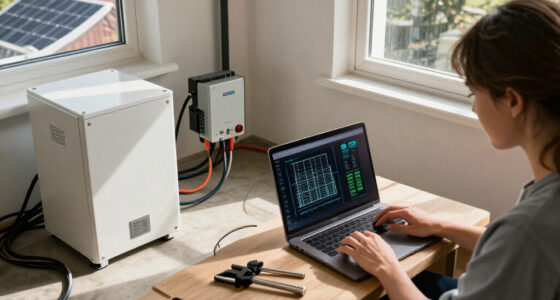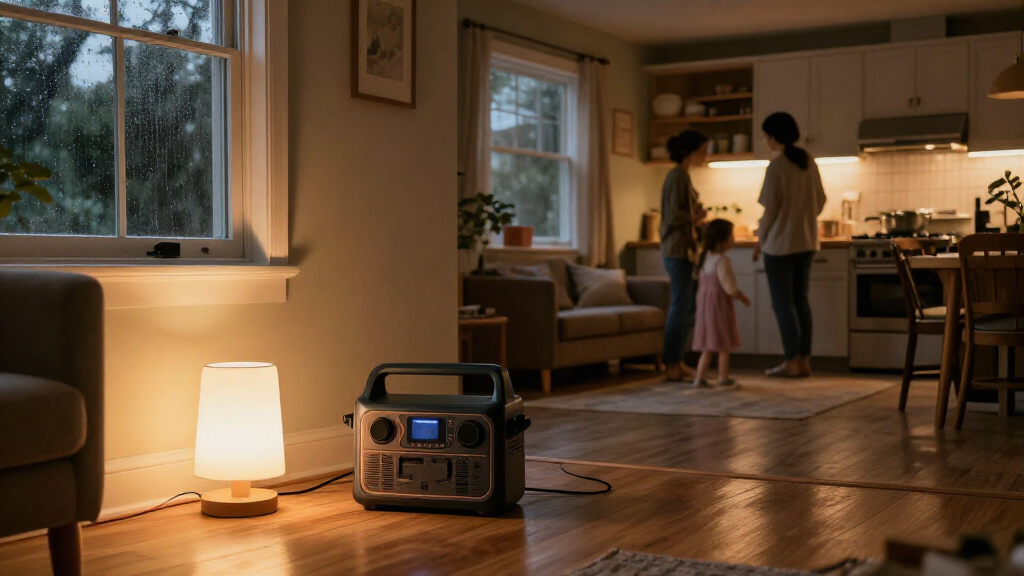
Use this guide to select essential devices, check whether a portable power station can run them, prepare it before an outage, and connect devices safely when household power fails. It is for homeowners or renters who want short-term backup for items such as phones, lights, a router, or a refrigerator. The steps suit beginners and take about 1–2 hours, plus the time needed to charge the station.

Get backup power and energy gear delivered free with Prime
- Fast, free delivery on millions of items
- Prime Video, Amazon Music and more included
- Member-only deals all year

Jackery HomePower 3600 Plus & 2x200W Solar Panels, 3584Wh, 3600W AC Output
- ✔ Capacity: 3,584Wh
- ✔ AC output: 3,600W
- ✔ Expansion: Up to 21kWh per unit; 43kWh with multiple units (manufacturer claim)

Jackery HomePower 3600 Plus Power Station, 3584Wh, 3600W AC Output
- ✔ Capacity: 3,584Wh
- ✔ AC output: 3,600W
- ✔ Expansion: Up to 21kWh per unit; 43kWh with multiple units (manufacturer claim)

EBL 2400W Portable Power Station LiFePO4 Battery for Home Use
- ✔ Capacity: 1,843.2Wh
- ✔ AC output: 2,400W
- ✔ AC outlets: 4
Difficulty: Beginner | Time: 1–2 hours for planning and setup; charging time varies by model
What You’ll Need
Tools & Materials:
- Portable power station with its manual and included charging cables
- List of devices you want to power
- Device labels or manuals showing watts and voltage
- Calculator or notes app
- Clear, dry, ventilated indoor location for the station
Knowledge:
- Basic ability to read appliance power labels
- Ability to use the station’s display and output ports by following its manual
Do not connect a power station to a home wall outlet or household wiring. Never use a standard extension cord to feed power into the house. A home transfer switch or inlet must be installed by a qualified electrician and must match the power station’s output. Keep the station away from rain, standing water, heat, and blocked ventilation.
Jackery HomePower 3600 Plus & 2x200W Solar Panels, 3584Wh, 3600W AC Output
This bundle is our strongest all-round choice for a buyer planning for more than phones and lights. Its 3,584Wh capacity and 3,600W output provide substantially more headroom than the EBL Acc2400, while the included pair of 200W panels offers a defined solar charging starting point. The manufacturer lists solar charging in four hours, though real charging depends on sunlight and conditions.Compared with the standalone HomePower listing, this version arrives with panels, simplifying the first step toward solar recharging. The station itself is otherwise described with the same core capacity, output, expansion potential, and rolling design. At 77.2 pounds, its wheels and telescoping handle matter: it can be rolled between rooms or storage, but it is not light to lift over stairs. The claimed expansion to 21kWh per unit and 43kWh across multiple units suggests a growth path, but buyers should verify what extra equipment and setup are required.We would choose it for a household that wants substantial portable storage and expects to recharge from solar. Its 120V output and 240V capability in parallel should not be mistaken for direct compatibility with every home circuit; the listing mentions an MTS, so transfer hardware and installation details deserve checking. The bundle’s key compromise is bulk and a more involved system compared with the EBL’s smaller, simpler capacity.
Pros:
- 3,584Wh capacity and 3,600W output
- Includes two 200W solar panels
- Expandable capacity is listed up to 21kWh per unit
- Wheels and telescoping handle ease rolling
Cons:
- 77.2 pounds makes lifting difficult
- Solar performance depends on weather and setup
- Home circuit connection and transfer equipment need verification
Best for: Households seeking a higher-capacity portable station with solar panels included and a potential expansion path.
Not ideal for: Buyers who need a light unit to carry frequently, only want to power a few small devices, or need a confirmed whole-home transfer setup without additional compatibility checks.
Bottom line: Choose this bundle when its included panels and expandable 3,584Wh platform match a serious backup plan.
“Choose this bundle when its included panels and expandable 3,584Wh platform match a serious backup plan.”
Jackery HomePower 3600 Plus Power Station, 3584Wh, 3600W AC Output
The standalone HomePower 3600 Plus offers the same listed 3,584Wh capacity and 3,600W output as the bundle, making it the better fit when we want the station but prefer to choose panels separately or already have a charging setup. Relative to the EBL, it nearly doubles stored energy and raises output, giving a household more flexibility around higher-demand equipment and longer runtime.Its stated expansion options are the most compelling distinction from the EBL: Jackery lists up to 21kWh per unit, and up to 43kWh with multiple units. That could support a more substantial backup plan, but expansion depends on compatible additional equipment and does not mean the base station stores that much energy. The manufacturer also describes 240V operation in parallel, so we would confirm the required configuration before planning to run 240V appliances.The tradeoff against the bundle is straightforward: solar panels are optional, so they are not included in this listing. That gives us choice but puts panel selection and compatibility on us. Like the bundled version, it weighs 77.2 pounds; its wheels make movement across a level floor easier, not carrying. This is a capable base for a growing system, but buyers seeking a ready-to-go solar package may prefer the first-ranked bundle.
Pros:
- 3,584Wh capacity with 3,600W output
- Expansion options listed for larger systems
- Multiple charging methods are specified
- Wheels and telescoping handle help with rolling
Cons:
- Solar panels are optional and not included
- 77.2-pound weight is substantial
- 240V use requires a parallel setup; verify compatibility
Best for: Buyers who want the Jackery’s capacity and expansion potential while selecting panels or other charging equipment themselves.
Not ideal for: Shoppers who want solar panels included, need a lightweight carryable station, or expect the base unit alone to provide 240V whole-home backup.
Bottom line: Pick the standalone model when you want the same core station as the bundle and already have a plan for solar or other recharging.
“Pick the standalone model when you want the same core station as the bundle and already have a plan for solar or other recharging.”
EBL 2400W Portable Power Station LiFePO4 Battery for Home Use
The EBL Acc2400 is the more manageable choice when backup means keeping essential devices running rather than building a high-capacity household system. Its 1,843.2Wh capacity and 2,400W output are well below the Jackery models’ figures, so we should expect less runtime and less headroom for simultaneous heavy loads. In return, the EBL weighs about 54 pounds and measures roughly 16.9 × 11.8 × 11 inches, making it smaller to store and move.Where it stands out is connection flexibility: the listing describes 12 simultaneous device connections, including four AC outlets and two 100W USB-C ports, plus USB-A, DC, car, and wireless charging. That makes it convenient for keeping several smaller devices organized during an outage. It also claims a 0.1-second emergency power switch, a useful feature for sensitive electronics if the actual setup supports the intended use; we would confirm transfer behavior before relying on it for a computer or network equipment.Compared with either Jackery, the EBL is less suited to extended outages or expansion. Its lower capacity is a meaningful limit even if the 2,400W output can handle some high-wattage appliances briefly. The product description lists LiFePO4 cells and more than 3,500 cycles, but we would still plan around actual appliance draw and recharge access. This is a sensible pick for a tighter essential-load plan, not a substitute for a larger expandable backup system.
Pros:
- Smaller and lighter than the Jackery stations
- 2,400W output for a range of appliances
- Broad mix of 12 device connection points
- Two 100W USB-C ports
Cons:
- 1,843.2Wh capacity is substantially below the Jackery models
- No capacity expansion is specified
- Solar panel input details are not provided in the supplied product information
Best for: People who want a smaller-footprint station for essential electronics, lighting, and moderate household loads.
Not ideal for: Households planning extended backup, frequent high-load appliance use, or an expandable system comparable to the Jackery options.
Bottom line: Choose the EBL when storage space and broad device support matter more than maximum runtime and system expansion.
“Choose the EBL when storage space and broad device support matter more than maximum runtime and system expansion.”
As an Amazon Associate we earn from qualifying purchases.
Before You Start
Read the station manual before charging or connecting equipment. Check the unit’s rated continuous output in watts, its battery capacity in watt-hours (Wh), and the maximum output for each port. A station may advertise a surge rating for brief startup loads; that does not mean it can run that load continuously. Battery capacity and usable runtime vary with load, temperature, battery condition, and conversion losses, so treat runtime calculations as estimates.
Choose a few essential devices first. Medical equipment that supports life requires a backup plan confirmed with the equipment provider or clinician; do not rely on an untested power station as the only backup. If you are uncertain whether a device is compatible, check both manuals or contact the manufacturers.
Step-by-Step Instructions
Step 1: Choose the devices to back up
Write down the devices you need during an outage, such as phones, LED lights, a modem and router, or a refrigerator. Mark which are essential and which can wait. Plan to power high-draw devices one at a time where practical; space heaters, kettles, hair dryers, and air conditioners can drain a battery quickly or exceed the station’s output rating.
Tip:Check the label or manual for running watts. For devices with motors or compressors, also look for startup or surge power. A refrigerator’s actual use cycles, so its average energy use may be lower than its running wattage suggests.
Check: You have a short priority list and know the running watts, and startup watts where relevant, for each item.
Step 2: Match the load to the station
Compare the total watts of devices you might run at the same time with the station’s continuous AC output. Keep the combined load below that limit, and check individual port limits as well. For a device with a motor or compressor, confirm that its startup demand falls within the station’s surge rating and the rating’s permitted duration. Use the station’s manual for limits and compatible connection types.
Estimate runtime by dividing usable battery capacity in Wh by the devices’ combined average watts. For example, 500 Wh divided by a 50 W load gives 10 hours before losses; real runtime will be lower. If you cannot find average power use, use the device’s running watts for a conservative estimate.
Tip:Do not treat the battery’s Wh figure as a guaranteed runtime. AC conversion, temperature, and the station’s reserve settings reduce the energy available to connected devices.
Check: Your planned simultaneous load is within the continuous output, startup demands are supported, and your runtime estimate is plausible.
Step 3: Set up and charge the station
Place the station on a stable, dry surface indoors with the ventilation areas unobstructed. Keep it away from direct heat and anything that could spill onto it. Charge it using an approved wall, vehicle, or solar input listed in the manual. Check the display for charging status, and note how long a full charge takes with your chosen method.
After charging, inspect the cables and ports for damage. Store the station and cables where you can reach them, and keep the manual with the unit. Follow the manufacturer’s advice for storage charge level and periodic recharging.
Tip:Do not charge or operate the station in a wet area or cover it with blankets or other material. Stop using it if the case is damaged, unusually hot, swollen, or giving off an unusual odor.
Check: The display shows the intended charge level, ventilation is clear, and the unit and cables appear undamaged.
Step 4: Prepare a simple outage plan
Choose a room or location where you can safely use the station and reach the devices you listed. Decide which items will stay plugged in and which will be connected only when needed. Keep phone charging cables, any required device adapters, and a flashlight nearby. Tell household members not to overload the station or move it into a wet or enclosed space.
If you need to power fixed household circuits, contact a qualified electrician about a properly installed transfer switch or inlet and confirm that the equipment is compatible with the station. Do not improvise a connection through a wall outlet, breaker panel, or generator cord.
Tip:Write down the station’s output limit and the order in which you will connect devices. This helps prevent someone from adding a high-wattage appliance without checking the load.
Check: Household members know where the station is, what it can power, and how to use it without connecting it to home wiring.
Step 5: Connect essential devices during an outage
When utility power fails, place the station in its prepared location and check that it is dry, stable, and ventilated. Turn on only the output type you need, such as AC or USB, then connect one device at a time using its normal cable. Check the display after each connection for load, warnings, or an unexpected drop in runtime. If an overload warning appears, disconnect devices and reduce the load before trying again.
For a refrigerator or other compressor device, connect it directly to a compatible station output and allow for startup demand. Avoid repeatedly switching the compressor on and off; follow the appliance manual. Keep the refrigerator door closed to reduce how often it needs to run.
Tip:Use the shortest practical cable and keep it out of walkways. Do not daisy-chain power strips or exceed the station’s outlet rating.
Check: Each essential device operates normally, the station shows no overload or fault warning, and the remaining runtime is sufficient for your plan.
Step 6: Monitor use and recharge safely
Check the station’s remaining charge and output periodically. Disconnect devices that are no longer needed, and recharge only through an input method approved in the manual. If the station reports a fault, becomes unusually hot, or has damaged cables, turn off outputs if safe and stop using it. After utility power returns, disconnect the devices, let the station cool if needed, then recharge and store it according to the manufacturer’s instructions.
Tip:Keep a note of which devices ran and how quickly the battery dropped. That real-world observation will improve your next runtime estimate.
Check: The station and connected devices remain within their ratings during use, and the station is returned to its recommended storage condition afterward.
Common Mistakes to Avoid
- Placing the station where moisture or blocked airflow can damage it. — Use a stable, dry indoor location and leave ventilation areas clear while operating and charging.
Troubleshooting
Problem: The station does not charge.
Solution: Confirm that the input cable and power source are approved for the model, check the input settings and temperature limits in the manual, and inspect the cable and port. Stop if there is visible damage; contact the manufacturer if the issue continues.
What Success Looks Like
Your plan is successful when the station is charged and undamaged, each selected device is compatible with its output and port, connected devices run without overload warnings, and the observed battery use fits your outage priorities. You can also explain to household members how to connect devices safely and how to avoid feeding power into home wiring.
Next Steps
After each outage or practice run, record the devices used, approximate runtime, and remaining charge. Recharge the station to its recommended storage level, replace damaged cables, and review the plan when you add appliances or change household needs. If you need backup for fixed circuits or critical medical equipment, ask a qualified electrician or equipment provider to help design and test an appropriate backup system.
Frequently Asked Questions
Can a portable power station run a refrigerator?
Some can, but check the refrigerator’s running and startup demand against the station’s continuous and surge ratings. Runtime depends on the refrigerator’s energy use, how often its compressor runs, ambient conditions, and the station’s usable capacity.
Can I connect the station to a household outlet to power several rooms?
No. Do not plug a station into a wall outlet to energize home wiring. That can create a dangerous backfeed. For selected household circuits, have a qualified electrician install compatible transfer equipment.
How do I estimate how long the station will last?
Divide usable battery capacity in watt-hours by the average combined load in watts to get a rough estimate in hours. Actual runtime will be shorter because of conversion losses, temperature, reserve settings, and changing device use.
Can I keep the station charging while it powers devices?
Only if the manufacturer supports pass-through charging for your model and describes how to use it. Follow the manual’s input, output, and temperature limits; otherwise, charge and operate it separately.
How often should I recharge it while it is stored?
Follow the storage charge level and maintenance interval in the manual. Battery chemistry and model design vary, so use the maker’s schedule rather than assuming the station can remain empty or full indefinitely.