
TL;DR

Get backup power and energy gear delivered free with Prime
- Fast, free delivery on millions of items
- Prime Video, Amazon Music and more included
- Member-only deals all year
Portable power stations store electricity in a battery and deliver it through AC outlets, USB ports, and DC outputs. They can keep selected devices running during an outage, but their watt-hour capacity, inverter output, and recharge options determine what they can support and for how long.
A refrigerator can go quiet in the middle of a summer outage, while your phone battery ticks toward empty. A portable power station can help keep a few important devices running, but its battery is more like a pantry than a power line: once the stored energy is gone, you need a way to refill it.
This guide explains how watt-hours and watts shape what a station can do, which household devices make sensible backup loads, and how charging and safety affect your plan. You’ll get a simple sizing method, a realistic refrigerator example, and the checks that matter before you buy or connect equipment.
Start with a shortlist of priority devices and the number of backup hours you need.
Use watt-hours to estimate runtime and continuous plus surge watts to check appliance compatibility.
A 1,000 Wh station may run a 100 W device for less than 10 hours after operating losses.
Check solar input limits, panel compatibility, and a backup recharge method before relying on solar.
Use approved transfer equipment for home circuits, and hire a licensed electrician for panel work.
Know what a power station can—and cannot—keep running
Portable power stations are battery-based units that store electricity and provide it through AC outlets, USB ports, and DC outputs. They can keep selected devices running during an outage, but most are built for partial, temporary backup, not powering a whole home for days. That distinction matters because a battery’s usefulness depends on choosing which services to preserve: keeping a router and medical device on may be more valuable than trying to run every appliance briefly.
Think of the station as a water tank with several taps: capacity tells you how much is stored, while output determines how many taps you can open at once. A phone, router, and LED lamp are usually modest loads. A refrigerator, sump pump, or window air conditioner may demand much more, especially when its motor starts. The result is two separate limits: a station can have enough stored energy for many hours yet still be unable to start a demanding appliance, or it can power that appliance but run empty quickly.
For example, during a winter outage, you might use one station to keep a router, a lamp, and a phone charged while leaving the electric oven and clothes dryer off. That small, deliberate plan can preserve communication and light without pretending a portable battery is a whole-house system. Keeping the load list short also makes runtime estimates more meaningful and leaves energy available for the devices that matter most.
Choose the devices first, then see whether the station can handle them. Central heating equipment, well pumps, and hardwired circuits may call for higher output and a professionally installed transfer arrangement. Never plug a station into a wall outlet to energize house wiring; that can create dangerous backfeed.
Products Worth Considering

DEWALT 20V MAX XR Hammer Drill and Impact Driver Combo Kit with Two 4Ah Batteries and Charger

Chemical Guys 16-Piece Arsenal Builder Car Wash Kit with Foam Cannon & Bucket

NOCO Boost GBX75 2500A UltraSafe Jump Starter, 12V Lithium Battery Booster
As an affiliate, we earn on qualifying purchases.
Use watt-hours and watts to estimate how long your backup will last
Watt-hours estimate how much energy a battery stores; watts tell you how much power your devices need at a given moment. Those two figures answer different questions: capacity shapes runtime, while output shapes which loads can run together. Thinking about both prevents a common mismatch: choosing a large battery based on its capacity label, then discovering its inverter cannot start the appliance you bought it to support.
A quick estimate is: runtime in hours ≈ usable battery capacity in Wh ÷ device power in watts. If a 1,000 Wh unit powers a 100 W device, the simple division gives 10 hours, but real runtime will be lower because inverter losses and the station’s minimum operating needs use some energy. The estimate also assumes the device draws a steady 100 W; many appliances cycle, change power while charging, or draw more at startup. Treat the arithmetic as a planning baseline, then allow margin rather than counting on the exact result.
Imagine you want a router averaging 15 W, a 10 W LED lamp, and a laptop drawing 60 W while charging. Together, that’s about 85 W when all three run. A 1,000 Wh station could not safely be treated as a guaranteed 11.8-hour supply; usage changes, conversion losses vary, and a laptop may draw more while charging quickly. If the laptop is unplugged once charged or the lamp is used only in the evening, actual energy use may be lower, which shows why operating habits can extend backup time as much as buying more capacity.
Check the station’s continuous output and surge rating as well as capacity. A refrigerator compressor can briefly need more power to start than it uses while running. A station with plenty of stored energy may still fail to start that motor if its inverter cannot provide the surge. Conversely, choosing an inverter with ample output does not guarantee long runtime; the battery must still hold enough usable energy for the hours you need.
Size your backup around the devices you care about most
To size a power station, list the devices you want to run, add their simultaneous wattage, and estimate how many hours you need them. Then compare that load with the station’s continuous and surge output and its usable energy. This two-part check avoids buying a large battery that cannot start your appliance—or a powerful inverter that runs out of energy too soon. It also makes tradeoffs visible: more devices or longer runtimes require more stored energy, while high-startup appliances can rule out some otherwise large units.
- Pick priority devices. For a one-night outage, you might choose a router, two lamps, phones, and a CPAP machine.
- Find their actual power needs. Check labels or manuals, and ask the medical-device maker or care provider about requirements for medical equipment.
- Add simultaneous loads. If the devices together draw 150 W, your inverter must support at least that running load, plus any startup surge. If you can stagger use, the maximum simultaneous load may be lower, though the devices still consume energy over time.
- Estimate energy. Multiply average watts by hours. A 50 W device used for 8 hours needs roughly 400 Wh before losses.
- Build in margin. Add room for changing use, conversion losses, and longer-than-expected outages. A margin gives you flexibility when a device draws more than expected or the outage lasts past your initial estimate.
For example, a household that needs a CPAP overnight may put that ahead of a television or coffee maker. That choice changes the capacity target and the value of a recharge plan. Write down your own priorities before comparing model names or headline numbers. A plan based on essential loads can often use a smaller, lighter station; adding comfort appliances increases convenience but also cost, weight, and charging needs.
See why refrigerator backup depends on more than battery size
A portable power station can run a refrigerator only if it has enough usable energy for the desired runtime and enough inverter output to handle the compressor’s startup demand. The refrigerator’s running use, how often its compressor cycles, room temperature, and door openings all affect the result. These factors explain why a simple calculation from the refrigerator’s running watts can overstate runtime: the compressor does not run continuously, but its total energy use changes with conditions.
That means two households with the same refrigerator model may see different runtimes. A fridge in a cool kitchen with its door shut may cycle less often than one in a warm garage that gets opened every few minutes for drinks. A station’s display may estimate remaining time, but treat it as a changing forecast rather than a promise. As the compressor cycles and household conditions change, the estimate can move; make food decisions using a conservative buffer rather than the most optimistic number on the screen.
Before relying on backup, check the refrigerator’s manual or label for electrical requirements and compare them with the station’s continuous and surge ratings. If possible, use the appliance’s measured energy consumption and try the setup while the grid is available, following the manufacturers’ instructions. A successful short trial can reveal whether the compressor starts and whether the cables and outlets fit your setup. It cannot guarantee the same runtime during a hotter outage, but it can expose a basic incompatibility before the battery is needed.
Capacity alone does not tell you whether an appliance will run. For motor-driven loads, check startup power as well as everyday consumption.
If food safety is the goal, plan what you’ll do if the station runs low: keep the door closed, group essential cold items, and have an alternate cooling plan. A battery can buy time, but it cannot make an undersized system larger. Deciding in advance which items to protect and when to switch to another plan reduces the chance that you spend the battery’s remaining energy on less important loads.
Compare battery life and charging before you choose a model
The right power station balances stored energy, output, battery chemistry, recharge speed, weight, and warranty. LFP batteries—also called LiFePO₄—are valued for long cycle life and thermal stability; some other lithium-ion chemistries can make a unit lighter or more compact. Check how each manufacturer defines a cycle and what capacity the warranty promises at that point. These are practical tradeoffs: a lighter unit may be easier to carry, while a longer cycle-life rating may matter more if you expect frequent use. Neither label alone tells you how well a station fits your outage plan.
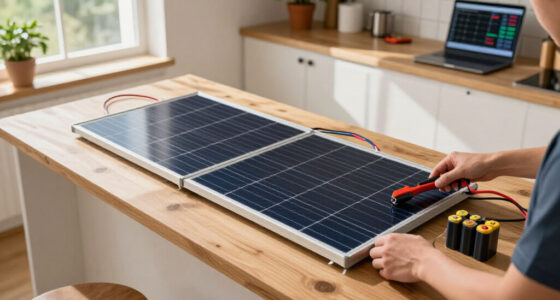
Recharge methods often include a wall outlet, a vehicle outlet, and compatible solar panels. Some units accept more than one input at once, but the station’s maximum input, battery state, and charger all affect recharge time. Solar can extend backup, yet clouds, shade, panel direction, connector type, and voltage limits can turn a sunny-looking day into a slow charge. A recharge plan should therefore account for both the source and the conditions: a panel that is technically compatible may still provide too little energy to restore the battery between outages or overnight use.
Consider a family who uses a station for a few hours at night and can recharge it during the day. A solar-compatible model may help if panels can sit in a clear, safe location; a household with reliable vehicle access may value car charging more. In both cases, the recharge path matters as much as the initial battery size during a multi-day outage. If daily use exceeds what the chosen source can put back, the battery will gradually run down even if each evening’s load seems modest.
| What to compare | Why it matters |
|---|---|
| Usable capacity | Estimates energy available to devices after operating losses. |
| Continuous and surge output | Shows whether loads can run and motors can start. |
| Charging inputs and limits | Sets how quickly wall, vehicle, or solar power can refill the battery. |
| Weight, warranty, and expansion | Shapes storage, carrying, lifespan expectations, and future backup options. |
Similar-looking units can differ sharply on these points, so compare specifications and current warranty terms rather than capacity alone. Prices, available models, and local electrical requirements change; check the manufacturer and local authority before purchasing home integration equipment.
Keep indoor use safe and connect home circuits the right way
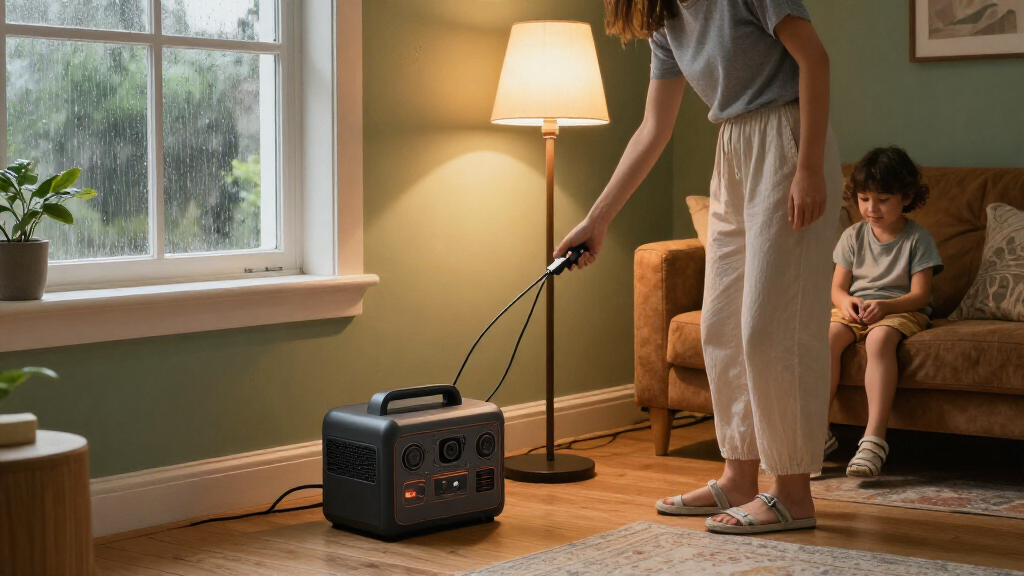
Battery power stations do not produce exhaust while supplying power, so they can be used indoors when the manufacturer’s instructions allow it. Keep vents clear, protect the unit from water and extreme temperatures, and use only compatible charging equipment. No exhaust does not mean no electrical risk: the inverter and connected loads still carry hazardous power. Indoor placement also affects reliability: blocked vents or temperature outside the specified range can cause reduced output, shutdown, or damage just when backup is needed.
For instance, a station beside a router in a dry living room needs airflow and a stable surface; it should not be buried under blankets or left in a damp basement. Follow the manual for operating and storage temperatures, and check its guidance on leaving the unit plugged in. Standby behavior and recommended battery levels vary by product. Following those limits helps preserve the battery and prevents a setup that seems convenient from becoming unreliable over long storage periods.
Connecting a station to home wiring calls for the correct manufacturer-approved transfer equipment and compliance with local electrical rules. If the setup involves a breaker panel, hardwired equipment, or a transfer switch, use a licensed electrician. Turn off power where the professional’s instructions require it, and use appropriate protective equipment during any permitted work. A transfer arrangement isolates the home circuits from the grid as required, allowing selected circuits to be supplied in a controlled way; the station’s output and the equipment’s ratings still limit what those circuits can support.
Never use a backfeed cable or plug a station into a household outlet to power circuits. That improvised connection can energize wiring unexpectedly and put other people at risk. A professional can tell you whether a dedicated transfer solution suits your system and local code.
Frequently Asked Questions
Can a portable power station run my whole house?
Usually, a portable unit is better suited to selected devices than whole-home backup. Whole-house use needs enough capacity and output plus suitable transfer equipment; panel connections may require a licensed electrician and compliance with local rules.
How long will a 1,000 Wh power station run my appliances?
Divide usable capacity by the devices’ average combined wattage for a rough estimate. A 100 W load may run for less than 10 hours on a 1,000 Wh unit because conversion losses and operating requirements reduce available energy.
Can I connect a power station to a wall outlet?
Do not plug a station into a household outlet to energize home wiring, and never use a backfeed cable. Use only a manufacturer-approved transfer solution configured as required by local rules; have a licensed electrician handle panel work.
Can solar panels recharge a power station during an outage?
Often, if the station supports compatible panels and their voltage and power stay within its input limits. Sunlight, shade, weather, panel direction, and the station’s maximum solar input determine how quickly it charges.
Is a power station safe to use indoors?
Battery stations produce no exhaust during operation, but you still need to follow the product’s instructions for ventilation, temperature, moisture, and electrical connections. Keep vents clear and use compatible charging equipment.
Will a portable power station run a refrigerator?
It may, if its inverter can handle the refrigerator’s startup demand and its usable capacity supports the runtime you need. Compressor cycling, room temperature, and door openings affect energy use, so check the appliance and station ratings before relying on the setup.
Conclusion
Choose a portable power station by matching usable energy, inverter output, and a realistic way to recharge it to the devices you need most. Test your planned loads in advance, especially motor-driven appliances or medical equipment, and follow the manufacturer’s electrical and operating instructions.
A good backup plan is less like powering every room and more like keeping a few lamps lit along a dark hallway: clear, useful, and sized for the next step.